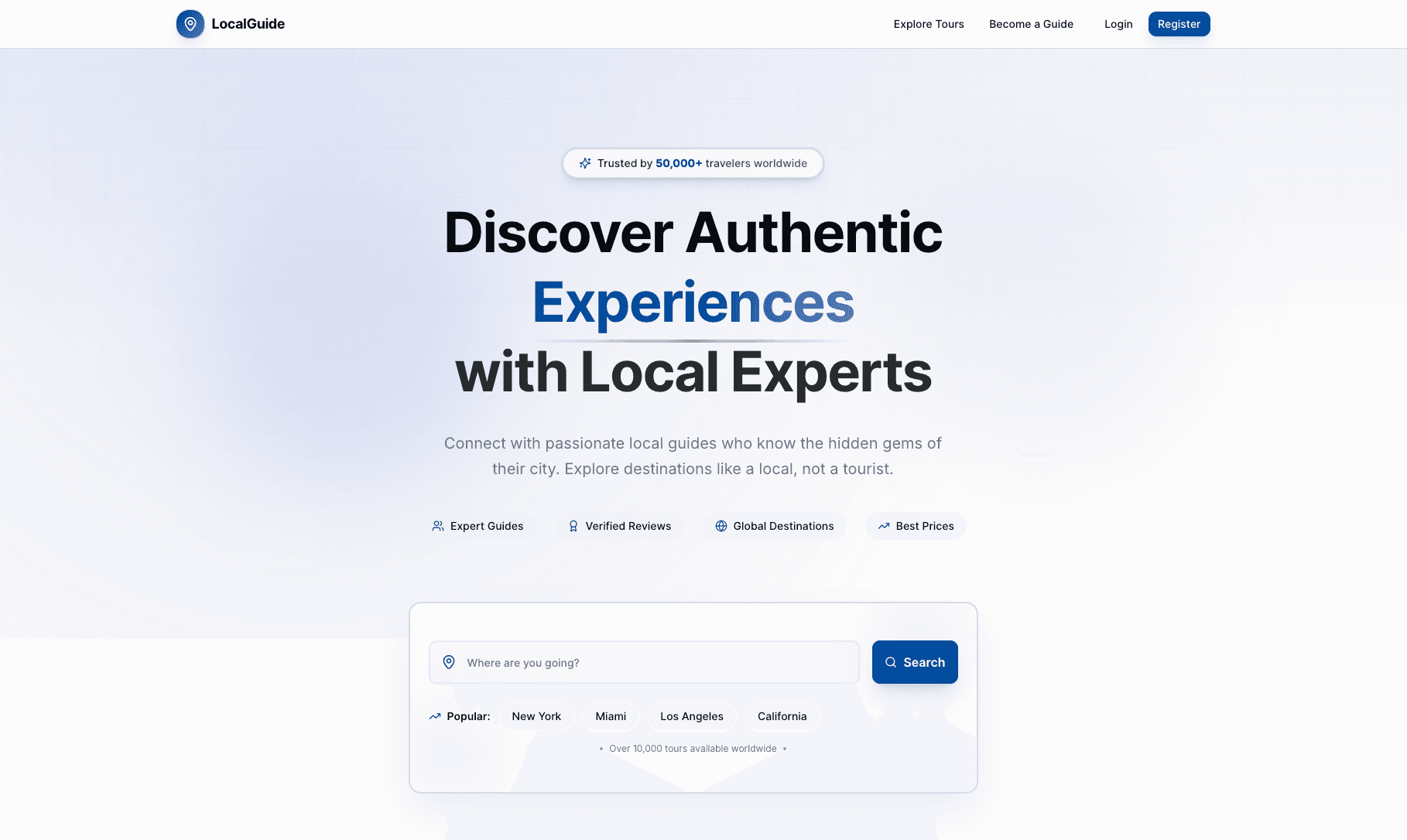
🗺️ Local Guide Client
A modern, full-featured platform connecting travelers with passionate local guides who offer authentic, personalized experiences. Built with Next.js 16, TypeScript, and Tailwind CSS, featuring role-based authentication, booking management, payment processing, and comprehensive dashboards for tourists, guides, and admins.
Live Demo: Local Guide Client. GitHub Repository: Local Guide Client. GitHub Repository: Local Guide Server.
🧱 Features
Core Functionality
- Multi-Role Authentication: Secure JWT-based authentication for Tourists, Guides, and Admins
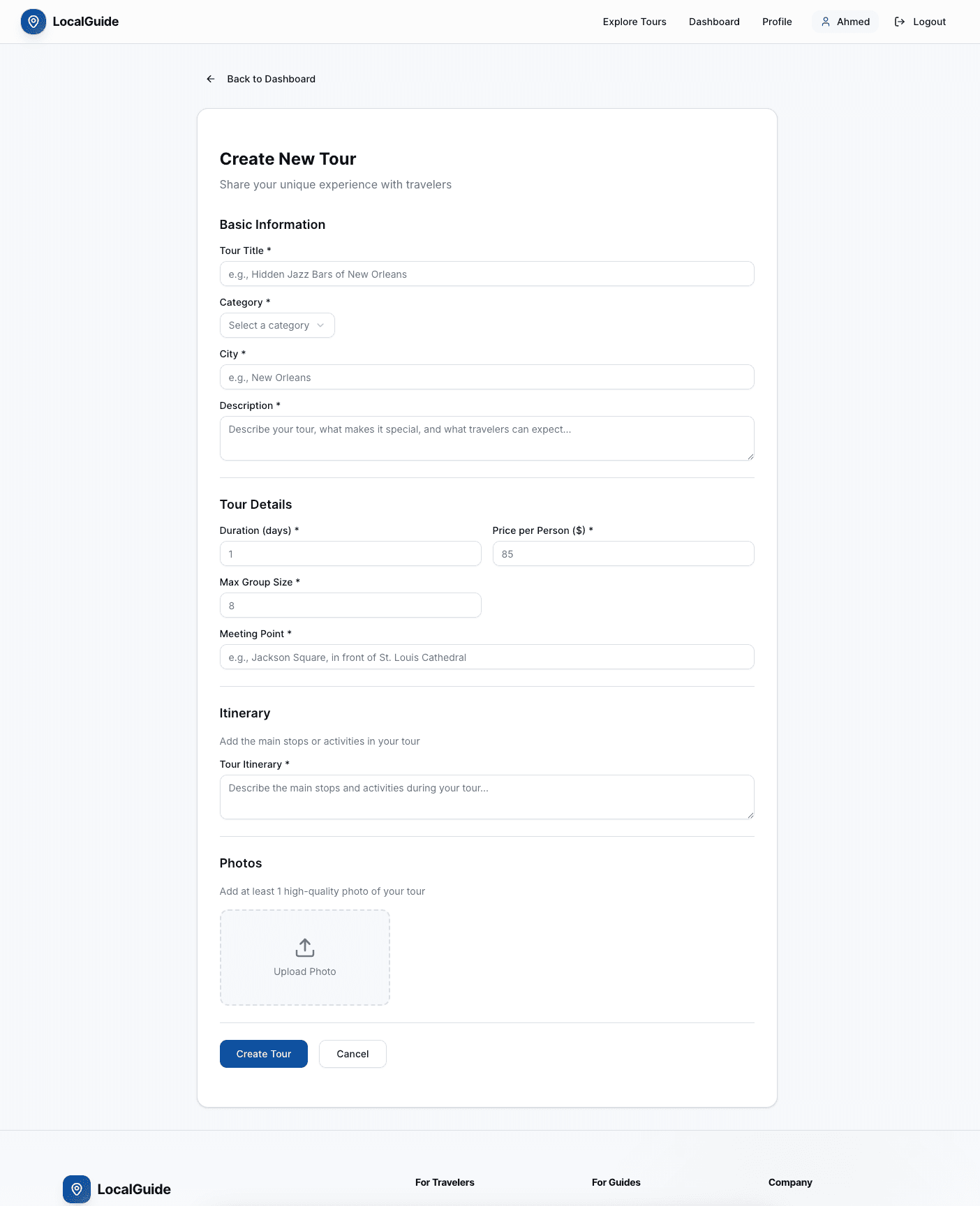
- Tour Listings: Create, edit, and manage tour listings with rich descriptions, images, and pricing
- Advanced Search & Filtering: Search tours by destination, category, price range, language, and more
- Booking System: Complete booking workflow with availability management and status tracking
- Payment Integration: Stripe payment processing with secure checkout and payment release
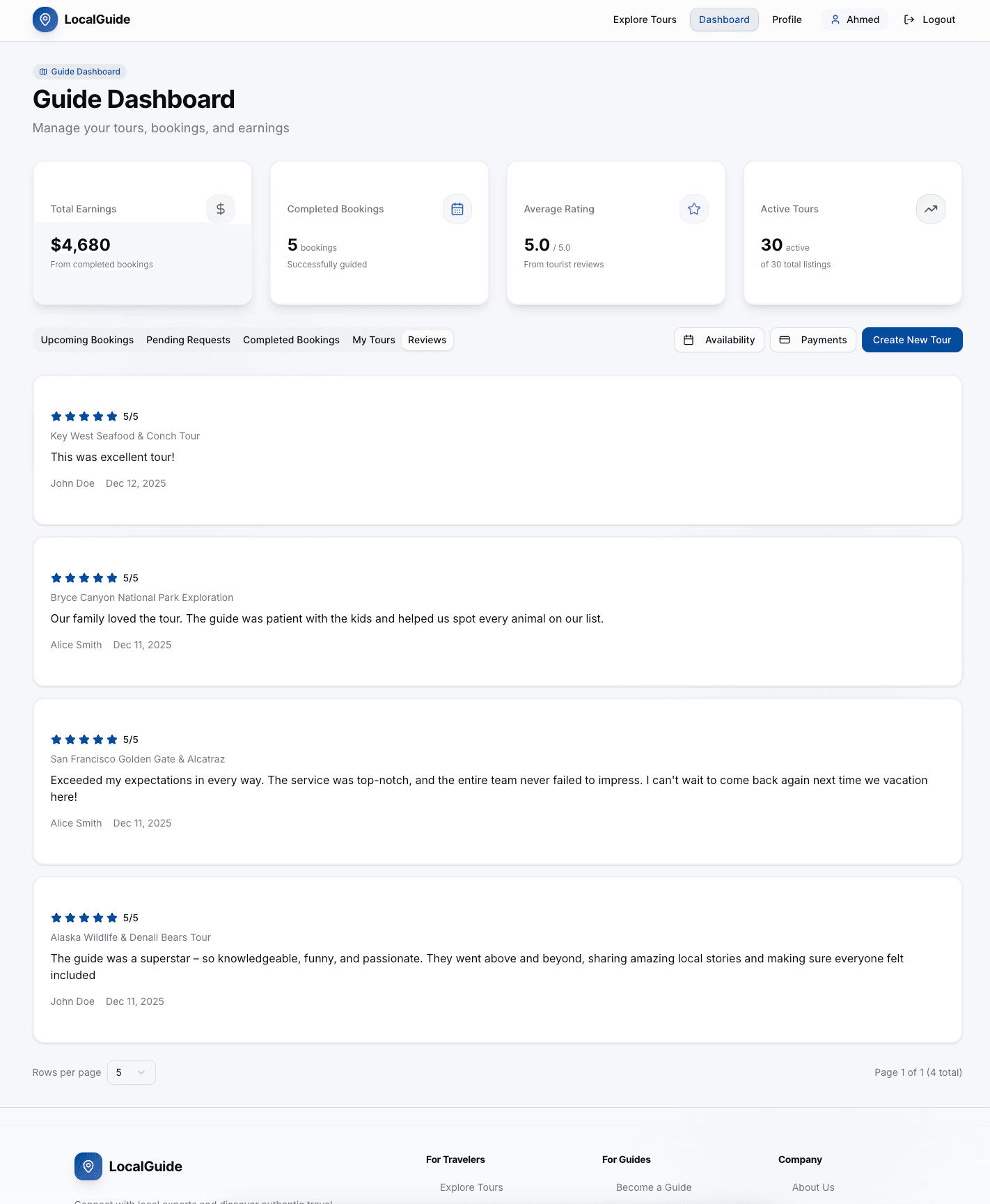
- Review & Rating: Post-tour review system for tourists to rate guides
- Wishlist: Save favorite tours for later booking
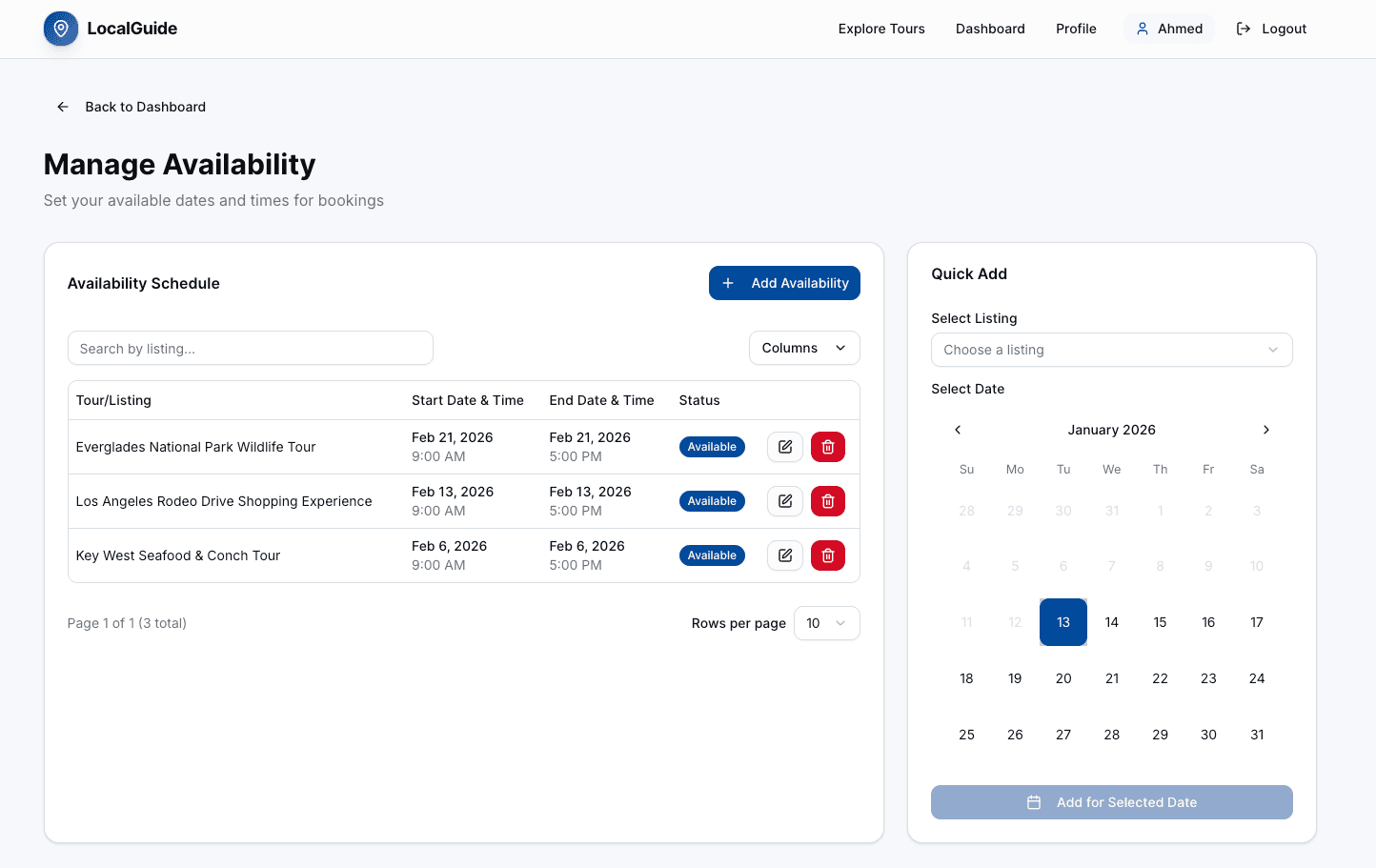
- Availability Management: Guides can set specific dates and times for tour availability
- Badge System: Achievement badges for guides (Super Guide, Newcomer, Foodie Expert, etc.)
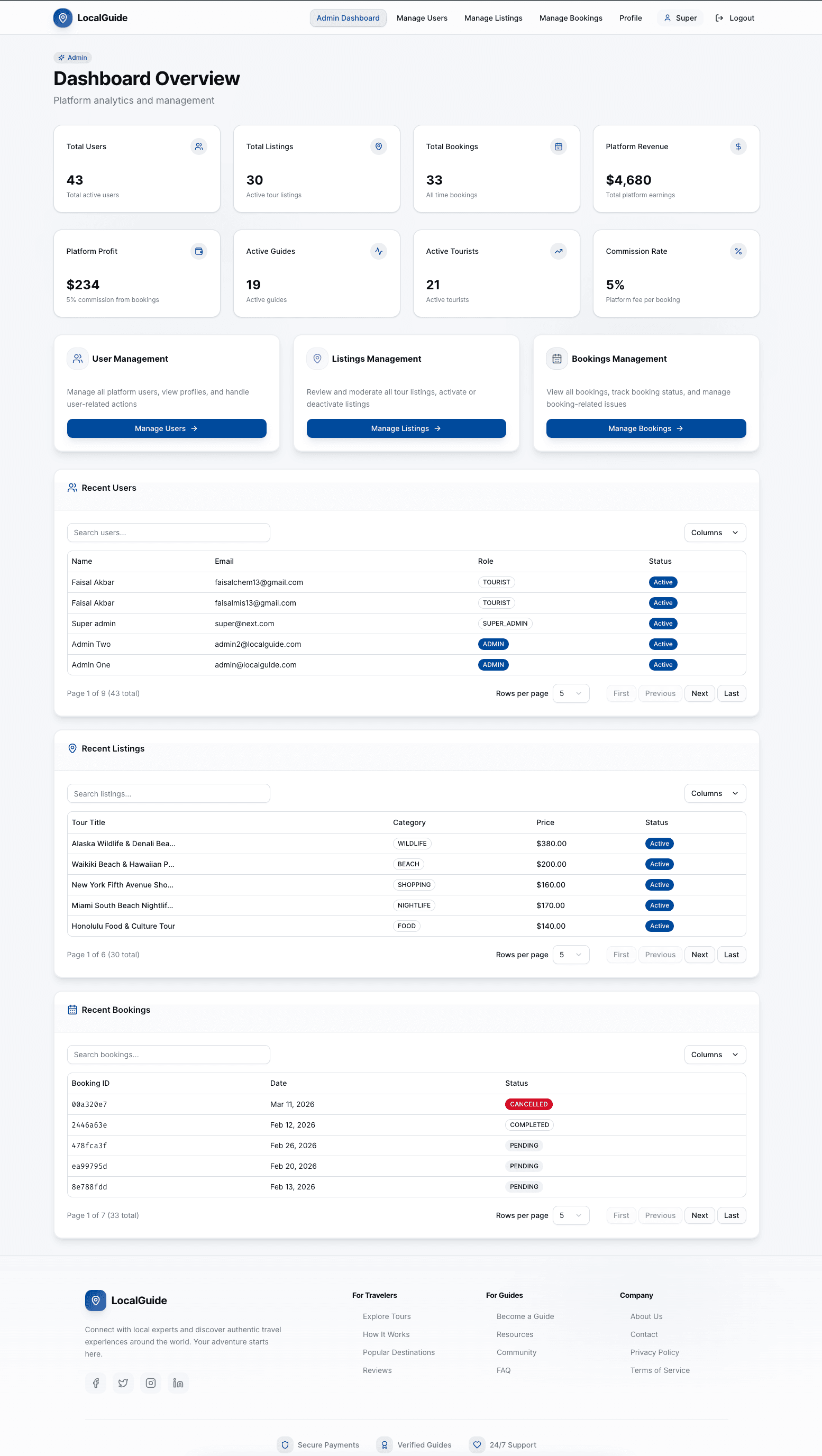
- Admin Dashboard: Comprehensive admin panel for managing users, listings, bookings, and analytics
User Experience
- Responsive Design: Mobile-first design with Tailwind CSS
- Modern UI: Built with shadcn/ui and Radix UI components
- Real-time Updates: Dynamic data fetching and state management
- Form Validation: Zod schema validation for all forms
- Error Handling: Robust error handling and user feedback
- Loading States: Skeleton loaders and suspense boundaries for better UX
🧩 Tech Stack
- Next.js 16 — React framework with App Router and Server Components
- TypeScript — Full type safety across the application
- Tailwind CSS v4 — Utility-first CSS framework
- shadcn/ui — Modern, accessible UI component library
- Radix UI — Unstyled, accessible component primitives
- React Hook Form — Performant form library
- Zod — TypeScript-first schema validation
- Stripe — Payment processing integration
- Framer Motion — Smooth animations and transitions
- TanStack Table — Powerful data table component
- date-fns — Date utility library
- Sonner — Toast notification system
- Cloudinary — Image and video storage
- vercel — Deployment platform
🛠️ Getting Started
Prerequisites
- Node.js 18+
- npm, yarn, pnpm, or bun
- Backend API server running (see backend repository)
Installation
# 1. Clone the repository
git clone <repository-url>
cd local-guide-client

# 2. Install dependencies
npm install

# 3. Configure environment variables
cp .env.example .env.local

# 4. Update .env.local with your configuration
NEXT_PUBLIC_BASE_API_URL=http://localhost:5000/api/v1
NEXT_PUBLIC_STRIPE_PUBLISHABLE_KEY=pk_test_....
JWT_ACCESS_SECRET=secret
NODE_ENV=development

# 5. Run the development server
npm run dev
Open http://localhost:3000 with your browser to see the result.
Build for Production
# Build the application
npm run build

# Start production server
npm start
👤 Dummy Users for Testing
Email and password for some dummy users:
// ADMIN
email: super@next.com
password: ph@123456

// TOURIST
email: john.tourist@localguide.com
password: tourist123

// GUIDE
email: ahmed.guide@localguide.com
password: guide123
Stripe Integration Card for testing
- Card Number: 4242 4242 4242 4242
- Expiry Date: 05/2026
- CVV: 123
- Zip Code: 12345
- Country: United States
📁 Project Structure
.
├── app/
│   ├── (commonLayout)/          # Public pages layout
│   │   ├── (auth)/              # Authentication pages
│   │   │   ├── login/           # Login page
│   │   │   ├── register/        # Registration page
│   │   │   ├── forgot-password/ # Password recovery
│   │   │   └── verify-otp/      # OTP verification
│   │   ├── explore/             # Tour search and filtering
│   │   ├── tours/[id]/          # Tour details page
│   │   ├── profile/[id]/         # Public profile pages
│   │   ├── become-guide/         # Guide registration CTA
│   │   ├── payment/             # Payment pages
│   │   │   ├── [bookingId]/     # Payment checkout
│   │   │   └── success/         # Payment success page
│   │   └── page.tsx             # Homepage
│   ├── (dashboardLayout)/       # Authenticated dashboard layout
│   │   ├── guide/               # Guide dashboard
│   │   │   └── dashboard/
│   │   │       ├── listings/    # Listing management
│   │   │       ├── availability/# Availability management
│   │   │       └── payments/    # Payment management
│   │   ├── tourist/             # Tourist dashboard
│   │   │   └── dashboard/       # Bookings, wishlist
│   │   ├── admin/               # Admin dashboard
│   │   │   └── dashboard/
│   │   │       ├── users-management/    # User management
│   │   │       ├── listings-management/  # Listing management
│   │   │       └── booking-management/  # Booking management
│   │   └── profile/             # User profile management
│   ├── globals.css              # Global styles
│   └── layout.tsx              # Root layout
├── components/
│   ├── auth/                   # Authentication components
│   │   ├── login-form.tsx
│   │   └── register-form.tsx
│   ├── availability/           # Availability management
│   │   ├── availability-client.tsx
│   │   ├── availability-table.tsx
│   │   ├── availability-create-dialog.tsx
│   │   ├── availability-edit-dialog.tsx
│   │   └── availability-delete-dialog.tsx
│   ├── dashboard/              # Dashboard components
│   │   ├── data-table.tsx
│   │   ├── dashboard-pagination.tsx
│   │   └── stat-card.tsx
│   ├── layout/                 # Layout components
│   │   ├── navbar.tsx
│   │   └── footer.tsx
│   ├── modals/                 # Modal components
│   │   ├── booking-confirmation-modal.tsx
│   │   ├── booking-details-modal.tsx
│   │   └── review-modal.tsx
│   ├── payments/               # Payment components
│   │   ├── payment-form.tsx
│   │   ├── payments-client.tsx
│   │   ├── payments-table.tsx
│   │   └── payment-release-dialog.tsx
│   ├── profile/                # Profile components
│   │   ├── profile-header.tsx
│   │   ├── guide-profile.tsx
│   │   ├── tourist-profile.tsx
│   │   ├── admin-profile.tsx
│   │   └── edit-profile-dialog.tsx
│   ├── sections/               # Homepage sections
│   │   ├── hero-section.tsx
│   │   ├── search-section.tsx
│   │   ├── categories-section.tsx
│   │   ├── destinations-section.tsx
│   │   ├── guides-section.tsx
│   │   ├── how-it-works-section.tsx
│   │   ├── features-section.tsx
│   │   ├── testimonials-section.tsx
│   │   └── cta-section.tsx
│   ├── tours/                  # Tour components
│   │   └── tour-details-client.tsx
│   ├── shared/                 # Shared components
│   │   ├── InputFieldError.tsx
│   │   └── stat-card.tsx
│   └── ui/                     # shadcn/ui components
│       ├── button.tsx
│       ├── card.tsx
│       ├── dialog.tsx
│       ├── input.tsx
│       └── ...
├── services/                   # API service layer
│   ├── auth/                   # Authentication services
│   ├── listing/                # Listing services
│   ├── booking/                # Booking services
│   ├── payment/                # Payment services
│   ├── review/                 # Review services
│   ├── availability/           # Availability services
│   ├── wishlist/               # Wishlist services
│   ├── user/                   # User services
│   ├── badge/                  # Badge services
│   └── stats/                  # Statistics services
├── lib/                        # Utility functions
│   ├── auth-context.tsx        # Auth context provider
│   ├── auth-utils.ts           # Auth utilities
│   ├── server-fetch.ts         # Server-side fetch helper
│   ├── stripe.ts               # Stripe configuration
│   └── utils.ts                # General utilities
├── types/                      # TypeScript type definitions
│   ├── guide.ts
│   └── profile.ts
├── zod/                        # Zod validation schemas
│   ├── auth.validation.ts
│   ├── listing.validation.ts
│   ├── availability.validation.ts
│   └── user.validation.ts
├── hooks/                      # Custom React hooks
│   └── useDebounce.ts
├── constants/                  # Application constants
│   └── service-fee.ts
└── public/                     # Static assets
🎨 Key Features Breakdown
Homepage (/)
- Hero Section: Hero section with search, categories, destination filters functionality
- Search Section: Quick search bar for finding tours
- Categories Section: Browse tours by category (Food, Art, Adventure, etc.)
- Destinations Section: Featured cities and popular destinations
- Guides Section: Top-rated guides showcase
- How It Works: Step-by-step guide for using the platform
- Features Section: Platform highlights and benefits
- Testimonials Section: User reviews and testimonials
- CTA Section: Call-to-action for becoming a guide
Authentication
- Registration: Role-based registration (Tourist/Guide) with profile setup
- Login: Secure email/password authentication with JWT tokens
- Password Recovery: Forgot password flow with OTP verification
- OTP Verification: Email-based OTP for password reset
- Token Management: Automatic token refresh and secure storage
Explore Tours (/explore)
- Advanced Filtering: Filter by category, city, price range, language
- Search Functionality: Full-text search across tour listings
- Pagination: Efficient pagination for large result sets
- Sorting Options: Sort by price, rating, date, etc.
- Responsive Grid: Beautiful tour card layout
Tour Details (/tours/[id])
- Rich Tour Information: Detailed descriptions, images, itinerary
- Guide Profile: Guide information and ratings
- Availability Calendar: View and select available dates
- Booking Widget: Select date/time and request booking
- Reviews Section: Read past traveler reviews
- Image Gallery: Multiple tour images with lightbox
- Pricing Details: Transparent pricing with service fees
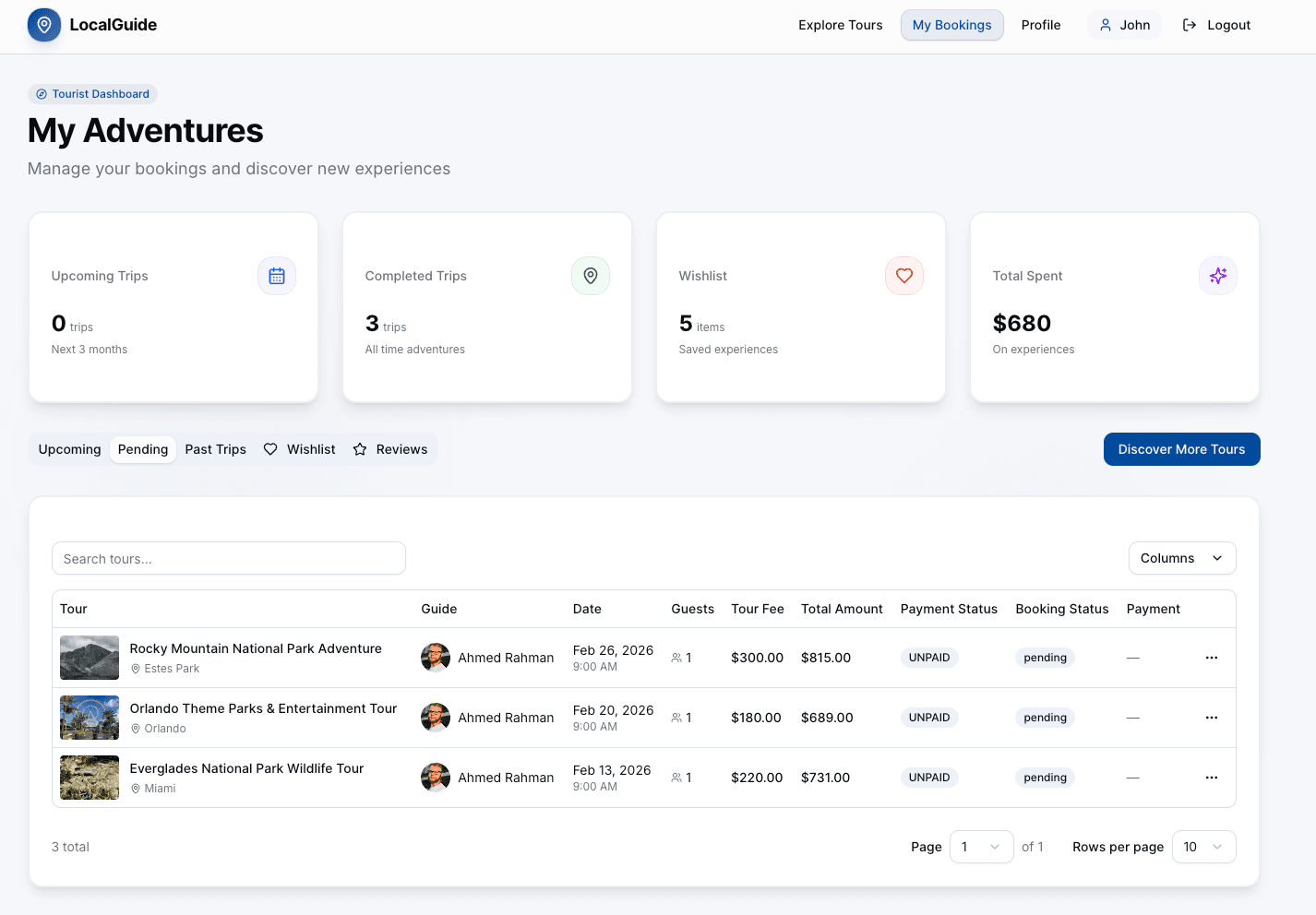
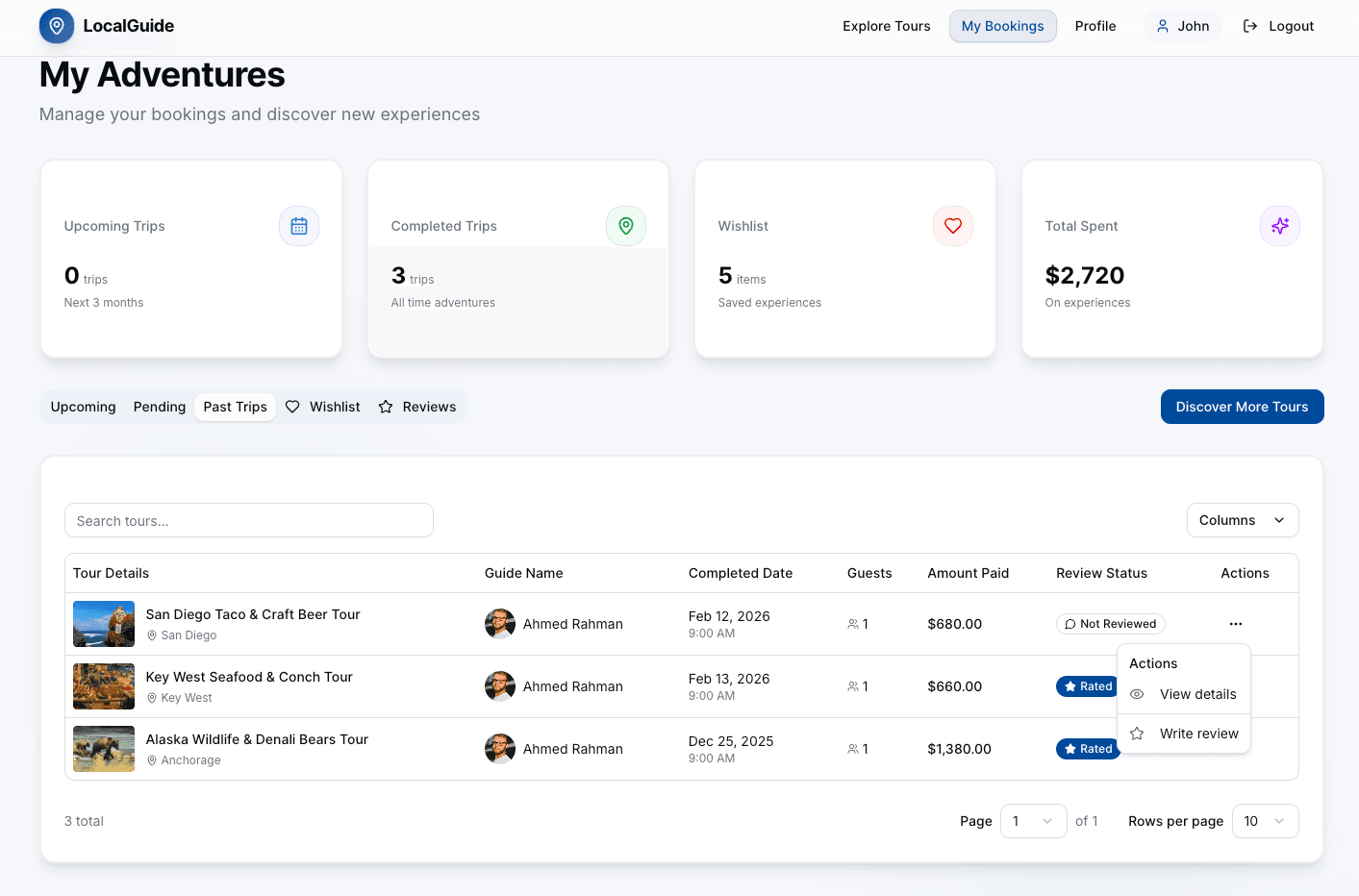
Tourist Dashboard (/tourist/dashboard)
- My Bookings: View upcoming and past bookings
- Booking Management: View details, cancel bookings, make payments
- Wishlist: Saved tours for later booking
- Payment History: Track all payment transactions
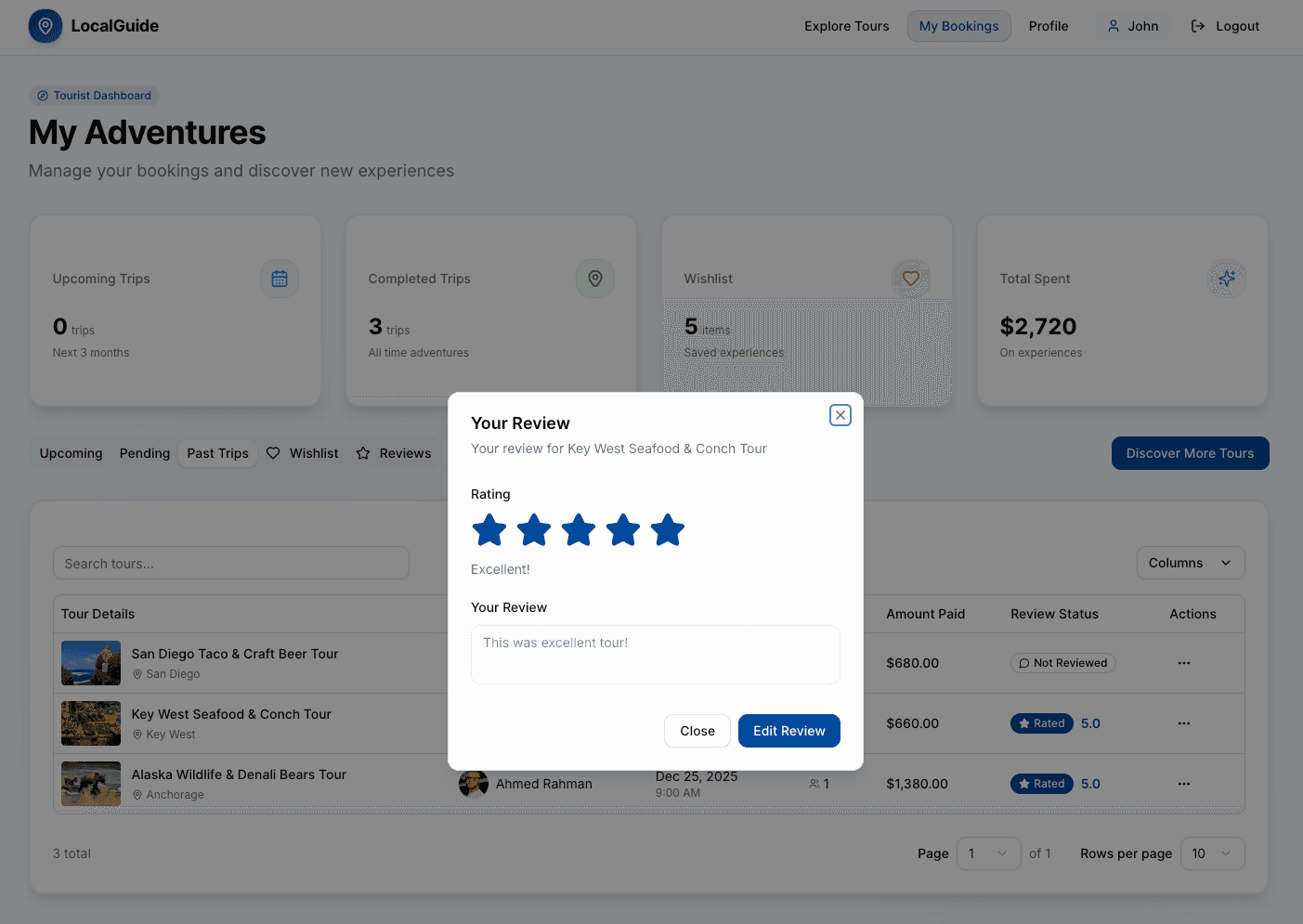
- Review Management: Leave reviews for completed tours
Guide Dashboard (/guide/dashboard)
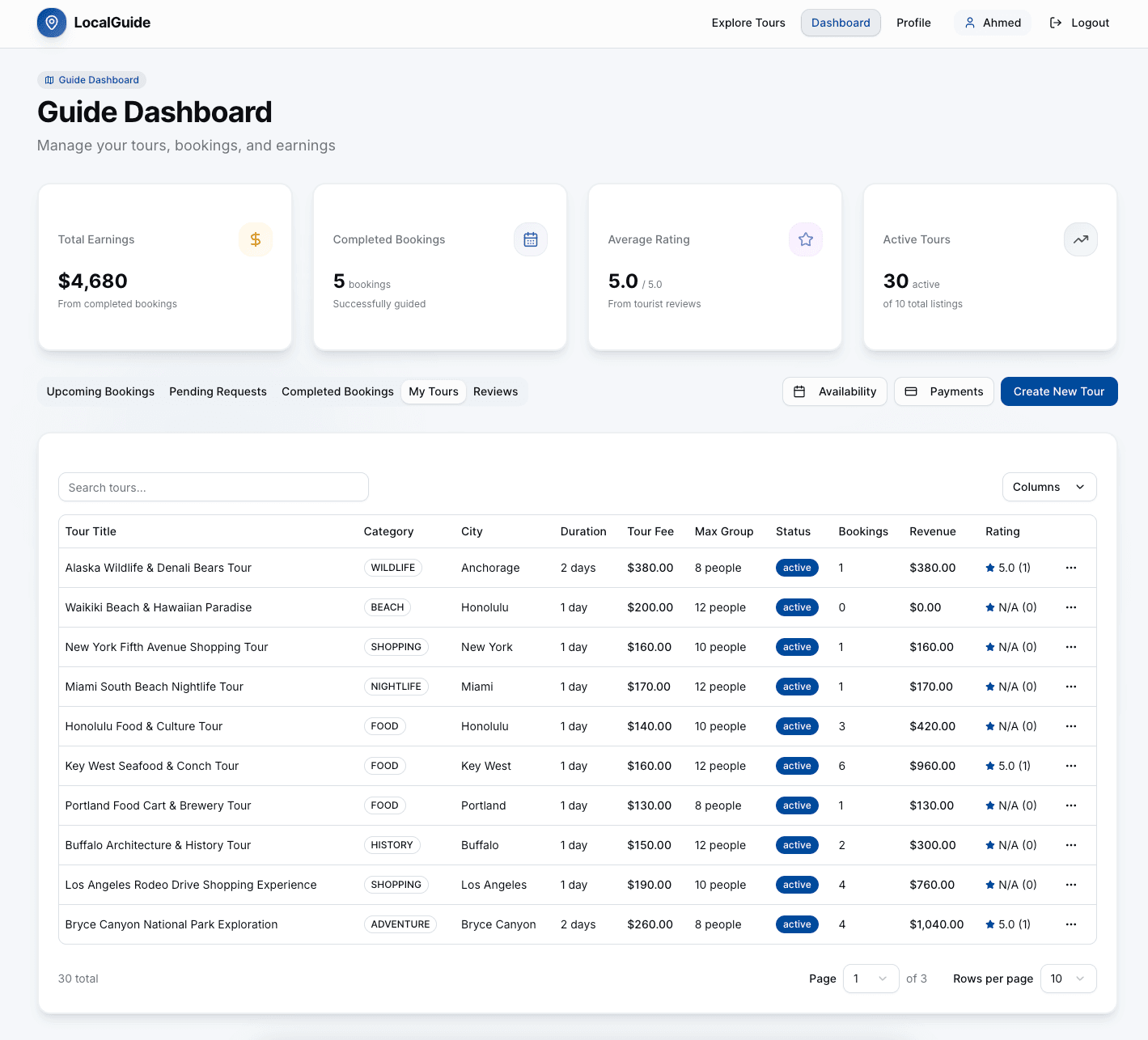
- My Listings: Create, edit, and manage tour listings
- Availability Management: Set available dates and times
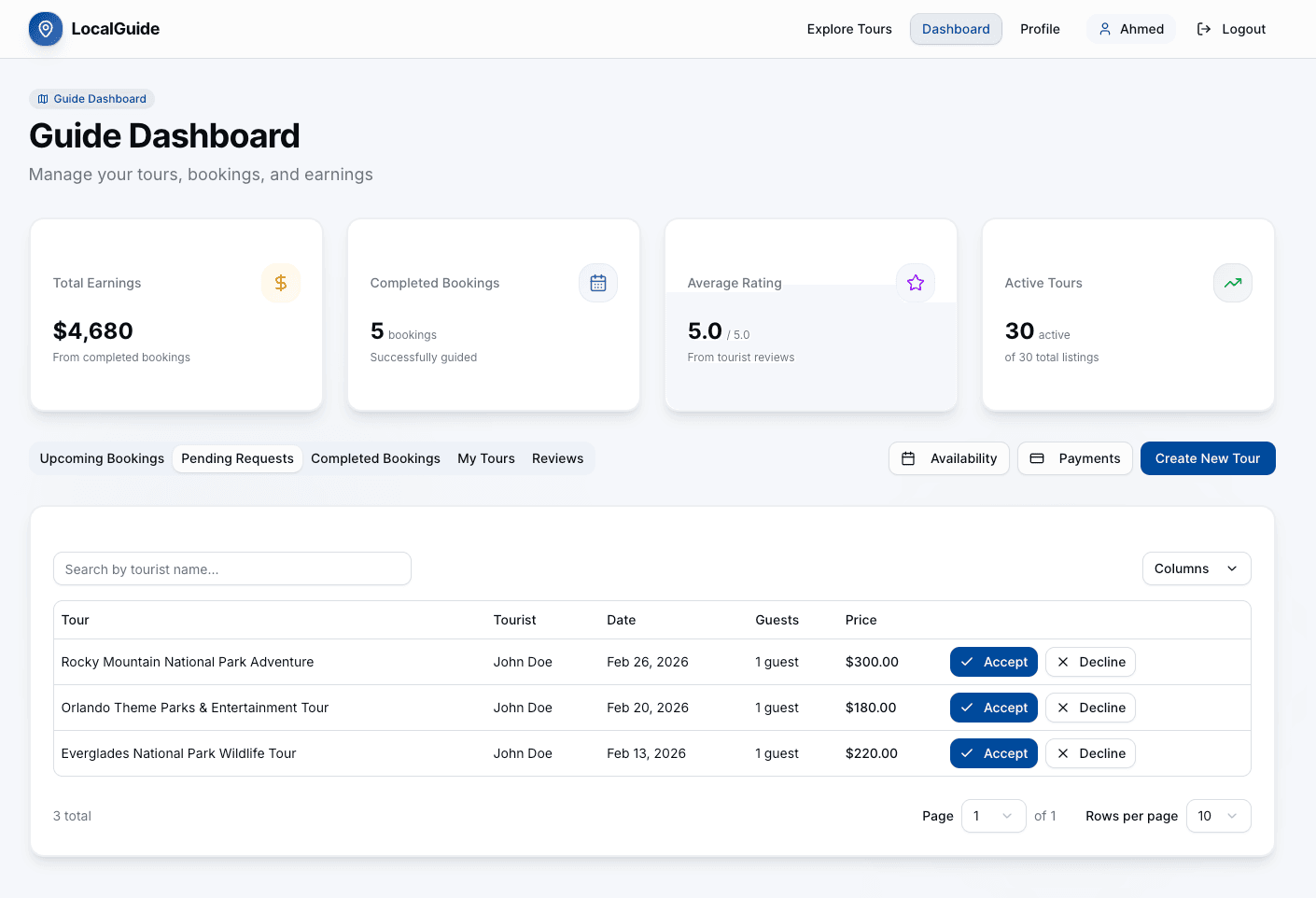
- Booking Requests: Accept or decline booking requests
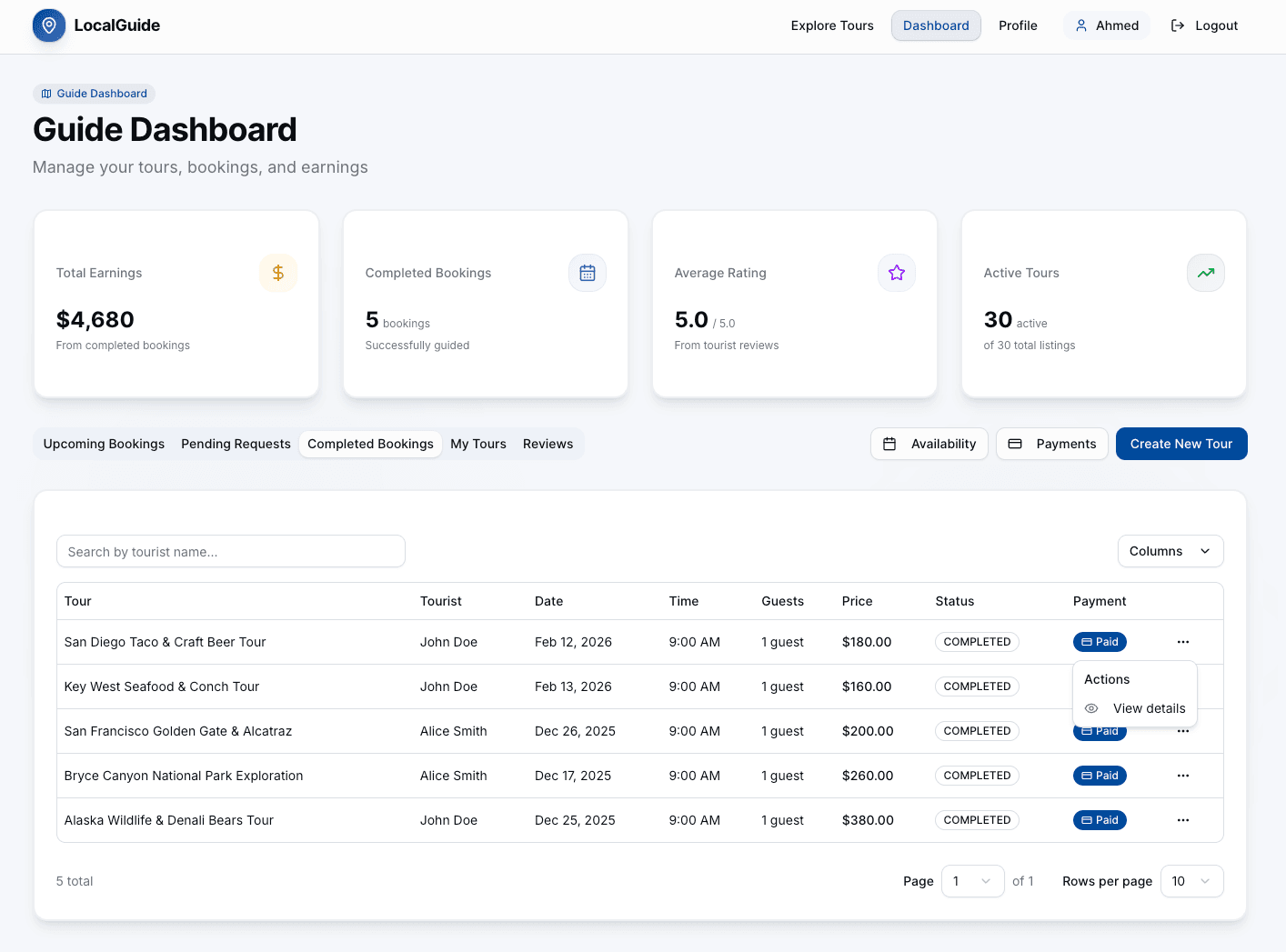
- Booking Management: View and manage all bookings
- Payment Tracking: View earnings and payment status
- Statistics: Tour performance and booking analytics
Admin Dashboard (/admin/dashboard)
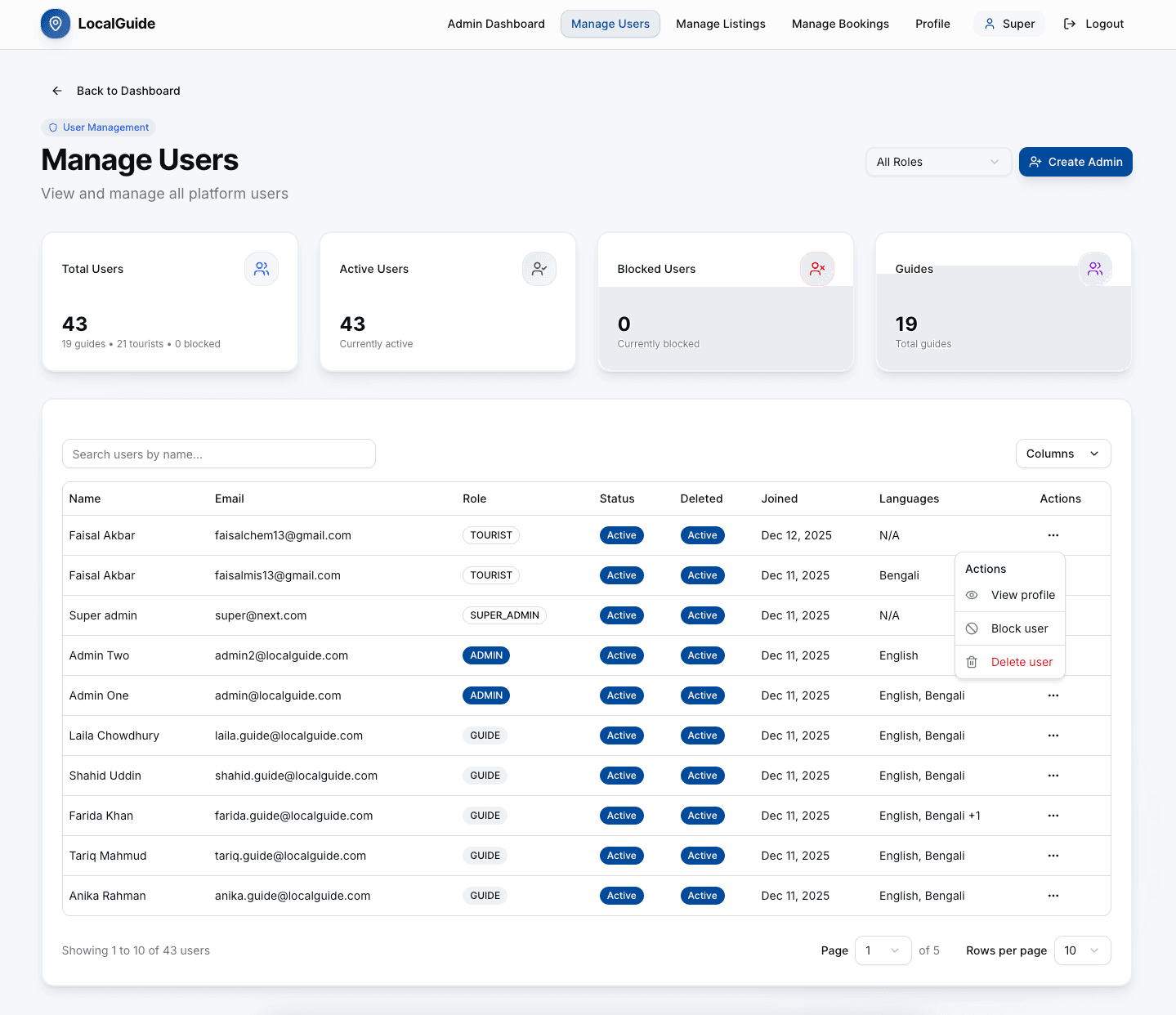
- User Management: View, block, and manage all users
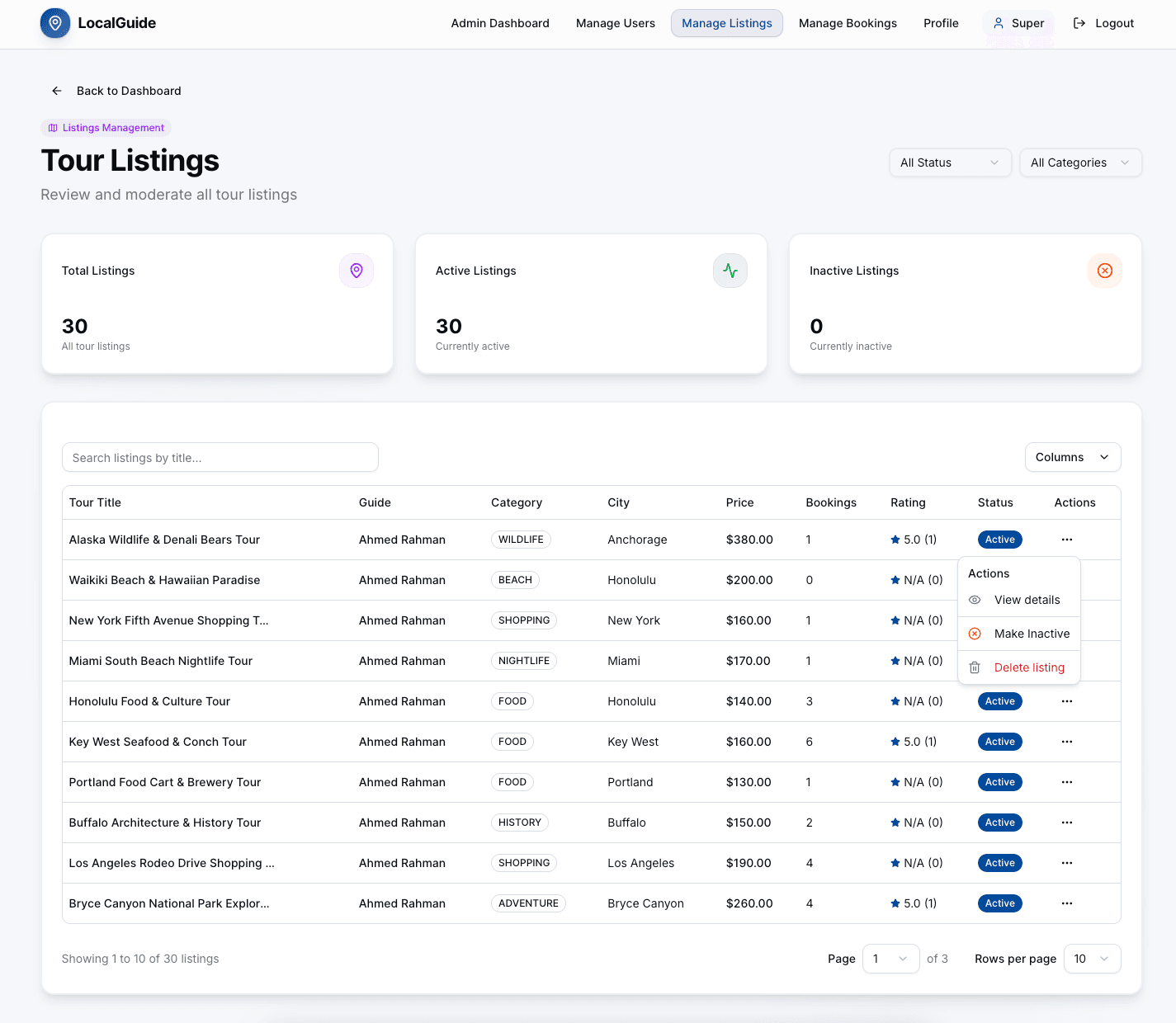
- Listing Management: Approve, edit, or remove tour listings
- Booking Management: Monitor all bookings across the platform
- Analytics: Comprehensive statistics and revenue reports
- Badge Management: Recalculate and manage guide badges
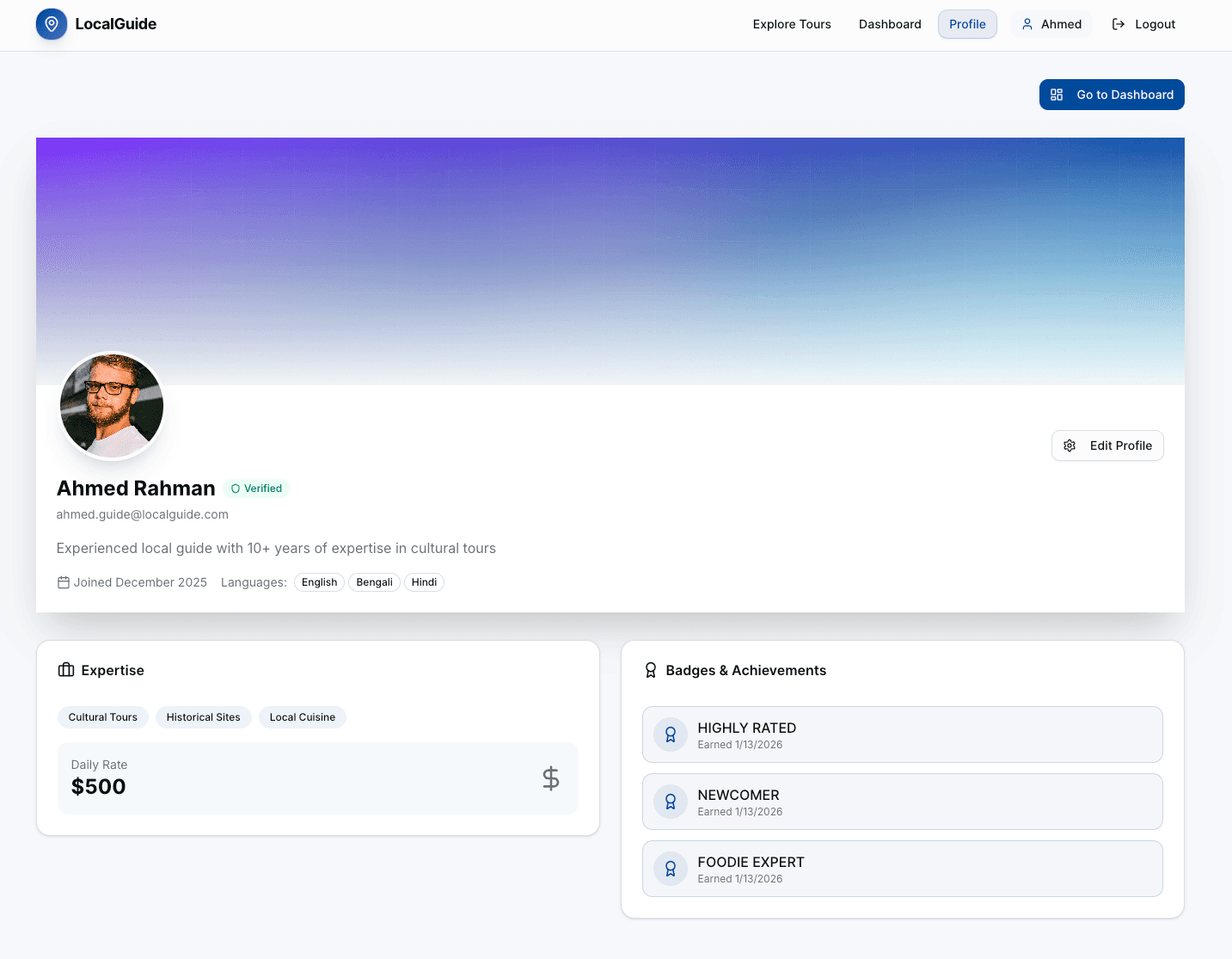
Profile Management (/profile)
- Profile View: Public profile with stats and reviews
- Profile Edit: Update profile information, bio, languages
- Guide-Specific: Expertise areas and daily rate
- Tourist-Specific: Travel preferences
- Image Upload: Profile picture management
Payment System
- Stripe Integration: Secure payment processing
- Payment Checkout: Complete payment flow for bookings
- Payment Release: Guides can release payments after tour completion
- Payment History: Track all payment transactions
- Service Fee: Transparent service fee calculation
Availability Management
- Create Availability: Set specific dates and times for tours
- Bulk Creation: Create multiple availability slots at once
- Edit/Delete: Manage existing availability slots
- Quick Add: Fast availability creation interface
Review System
- Post-Tour Reviews: Tourists can review guides after completion
- Rating System: 1-5 star rating system
- Review Display: Show reviews on guide profiles and tour pages
- Review Management: Edit or delete own reviews
🌐 API Integration
The frontend integrates with a comprehensive REST API. Key endpoints include:
Authentication
POST /auth/register- Register new user (Tourist/Guide)POST /auth/login- User loginPOST /auth/logout- User logoutPOST /auth/refresh-token- Refresh access tokenPOST /auth/forgot-password- Request password resetPOST /auth/reset-password- Reset password with tokenPOST /auth/change-password- Change password (authenticated)
User Management
GET /users/me- Get current user profileGET /users/:id- Get user by IDPATCH /users/:id- Update user profileGET /users/top-rated-guides- Get top-rated guidesGET /users- Get all users (Admin)PATCH /users/:id/block- Block user (Admin)POST /users/create-admin- Create admin account (Admin)
Listings
GET /listings- Get all listings with filtersGET /listings/:id- Get listing by IDGET /listings/featured-cities- Get featured citiesGET /listings/categories- Get distinct categoriesGET /listings/my-listings- Get guide's listingsPOST /listings- Create listing (Guide)PATCH /listings/:id- Update listing (Guide)DELETE /listings/:id- Delete listing (Guide)
Availability
GET /availabilities- Get all availabilitiesGET /availabilities/:id- Get availability by IDGET /availabilities/my-availabilities- Get guide's availabilitiesPOST /availabilities- Create availability (Guide)POST /availabilities/bulk- Create bulk availability (Guide)PATCH /availabilities/:id- Update availability (Guide)DELETE /availabilities/:id- Delete availability (Guide)
Bookings
POST /bookings- Create booking (Tourist)GET /bookings/my-bookings- Get tourist's bookingsGET /bookings/guide-bookings- Get guide's bookingsGET /bookings- Get all bookings (Admin)GET /bookings/:id- Get booking by IDPATCH /bookings/:id/status- Update booking status (Guide)
Payments
POST /payments/confirm- Confirm payment (Tourist)GET /payments/my-payments- Get user's paymentsGET /payments/booking/:bookingId- Get payment by booking IDGET /payments/:id- Get payment by IDPOST /payments/:id/release- Release payment to guide
Reviews
GET /reviews- Get all reviewsGET /reviews/:id- Get review by IDPOST /reviews- Create review (Tourist)PATCH /reviews/:id- Update review (Tourist)DELETE /reviews/:id- Delete review (Tourist)GET /reviews/guide/:guideId- Get reviews by guide IDGET /reviews/reviewable-bookings- Get reviewable bookings (Tourist)
Wishlist
POST /wishlist- Add to wishlist (Tourist)GET /wishlist- Get wishlist (Tourist)GET /wishlist/check/:listingId- Check wishlist statusDELETE /wishlist/:listingId- Remove from wishlist (Tourist)
Badges
GET /badges/guide/:guideId- Get guide badgesPOST /badges/recalculate/:guideId- Recalculate badges (Admin)POST /badges/recalculate-all- Recalculate all badges (Admin)
Statistics (Admin)
GET /stats/overview- Get overview statisticsGET /stats/users- Get user statisticsGET /stats/tourists- Get tourist statisticsGET /stats/guides- Get guide statisticsGET /stats/listings- Get listing statisticsGET /stats/bookings- Get booking statisticsGET /stats/revenue- Get revenue statisticsGET /stats/profit- Get profit statistics
OTP
POST /otp/send- Send OTPPOST /otp/verify- Verify OTP
🔐 Environment Variables
Create a .env.local file in the root directory:
# Backend API URL
NEXT_PUBLIC_BASE_API_URL=http://localhost:5000/api/v1

# Stripe Configuration
NEXT_PUBLIC_STRIPE_PUBLISHABLE_KEY=your_stripe_publishable_key
🎯 User Roles & Permissions
Tourist
- Browse and search tours
- View tour details and guide profiles
- Create booking requests
- Make payments
- Leave reviews after tour completion
- Manage wishlist
- View booking history
Guide
- Create and manage tour listings
- Set availability dates and times
- Accept or decline booking requests
- View booking details and manage bookings
- Track earnings and payments
- View reviews and ratings
Admin
- Manage all users (view, block, create admin)
- Manage all listings (approve, edit, delete)
- Monitor all bookings
- View comprehensive analytics and statistics
- Manage guide badges
- Access revenue and profit reports
🚀 Deployment
Build for Production
npm run buildEnvironment Setup
Ensure all environment variables are configured in your deployment platform (Vercel, Netlify, etc.)
Backend Requirements
- Backend API server must be running and accessible
- CORS must be configured to allow frontend domain
- Database must be properly configured
📝 Development Guidelines
Code Style
- Use TypeScript for all code
- Prefer
typeoverinterfacefor consistency - Use PascalCase for components and types
- Follow Next.js App Router conventions
- Use Server Components where possible
Component Structure
- Server Components for data fetching
- Client Components for interactivity
- Shared UI components in
components/ui/ - Feature-specific components in respective folders
Form Handling
- Use React Hook Form for all forms
- Validate with Zod schemas
- Display errors using
InputFieldErrorcomponent
API Integration
- Use service layer in
services/directory - Handle errors gracefully
- Show loading states during API calls
- Use toast notifications for user feedback
🐛 Troubleshooting
Backend Connection Issues
If you see connection errors, ensure:
- Backend server is running on the configured port
NEXT_PUBLIC_BASE_API_URLis correctly set- CORS is properly configured on the backend
Stripe Payment Issues
- Verify
NEXT_PUBLIC_STRIPE_PUBLISHABLE_KEYis set - Ensure Stripe account is properly configured
- Check browser console for detailed error messages
Authentication Issues
- Clear browser cookies
- Verify JWT token is being stored correctly
- Check token expiration and refresh logic
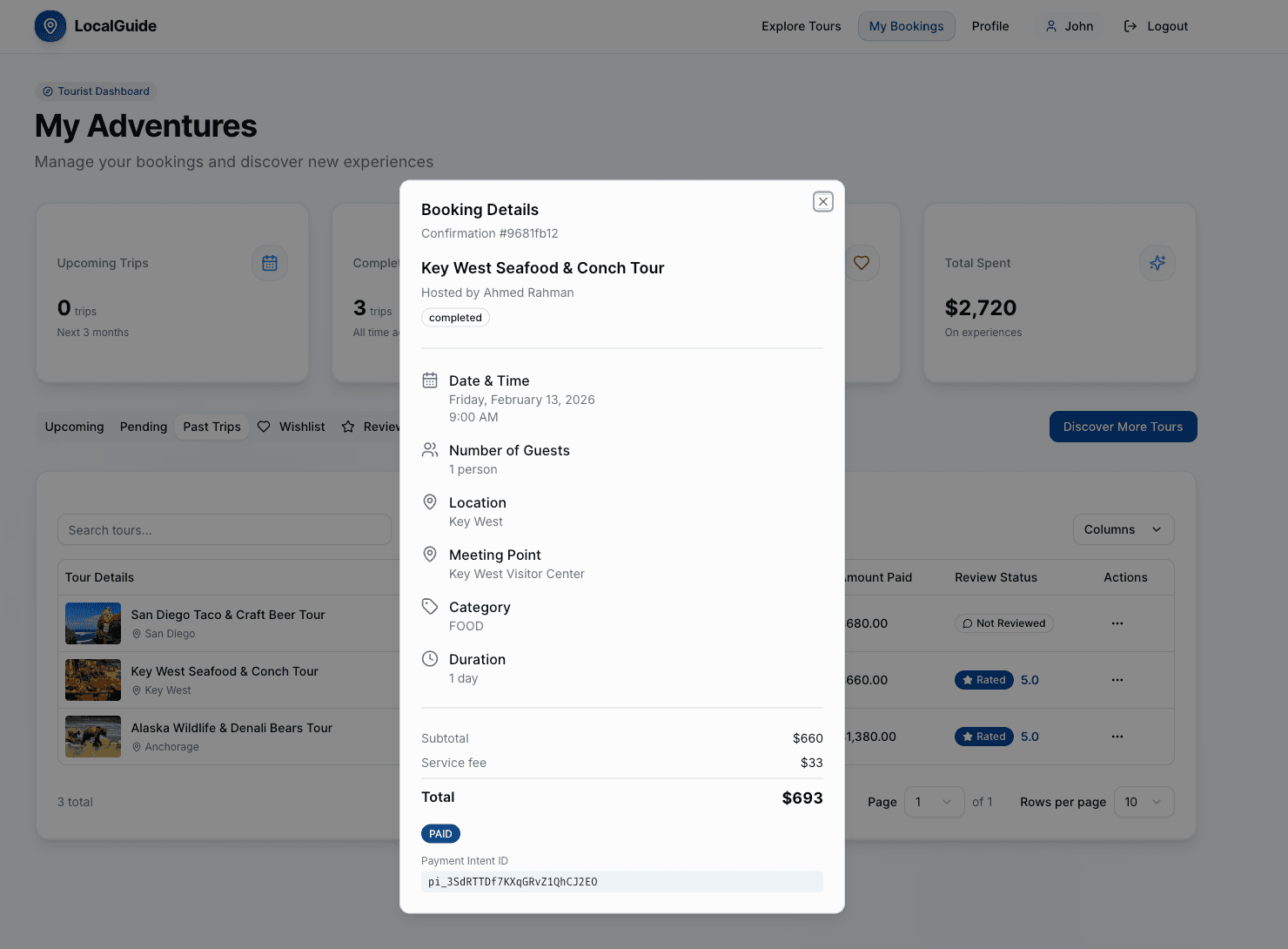
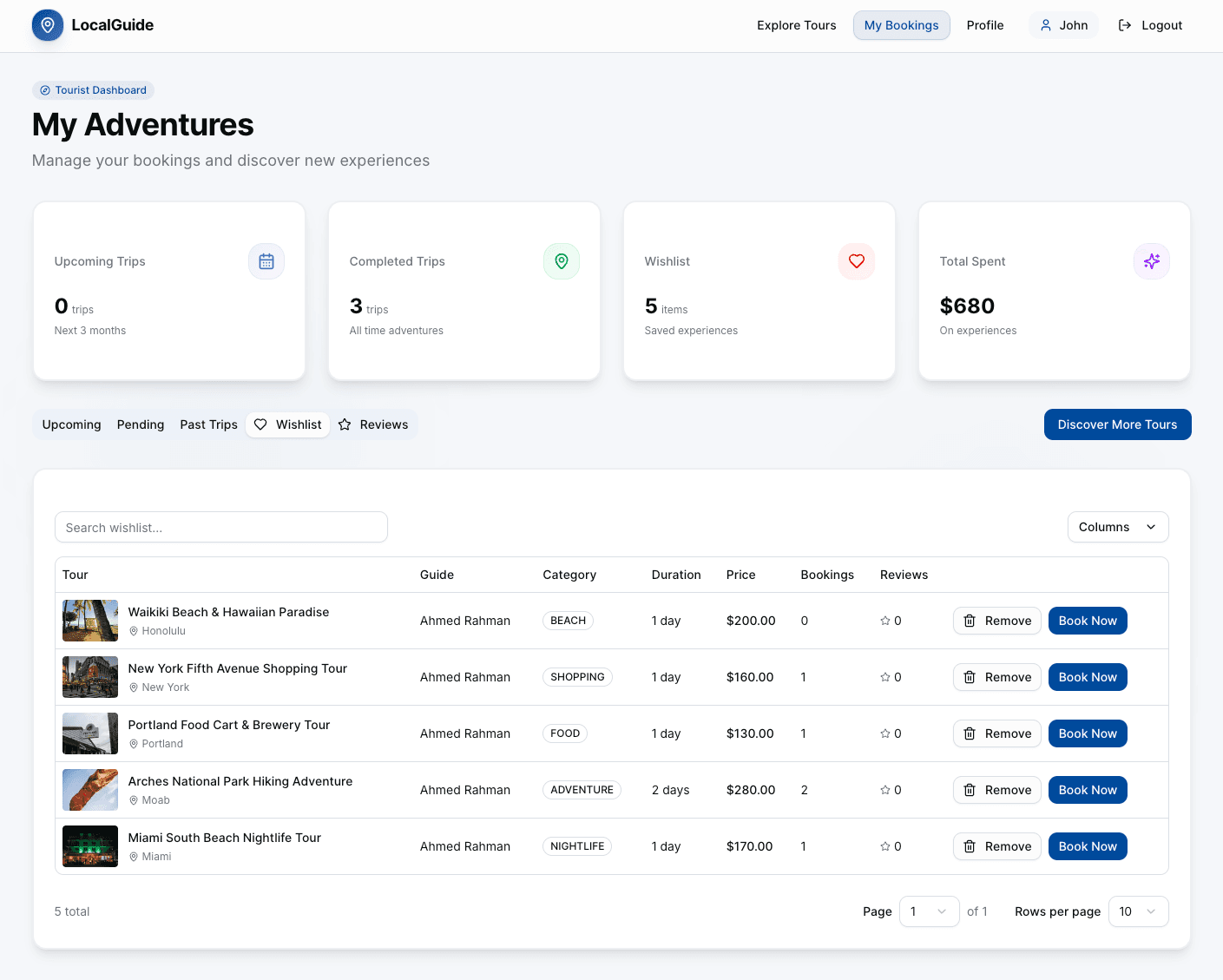
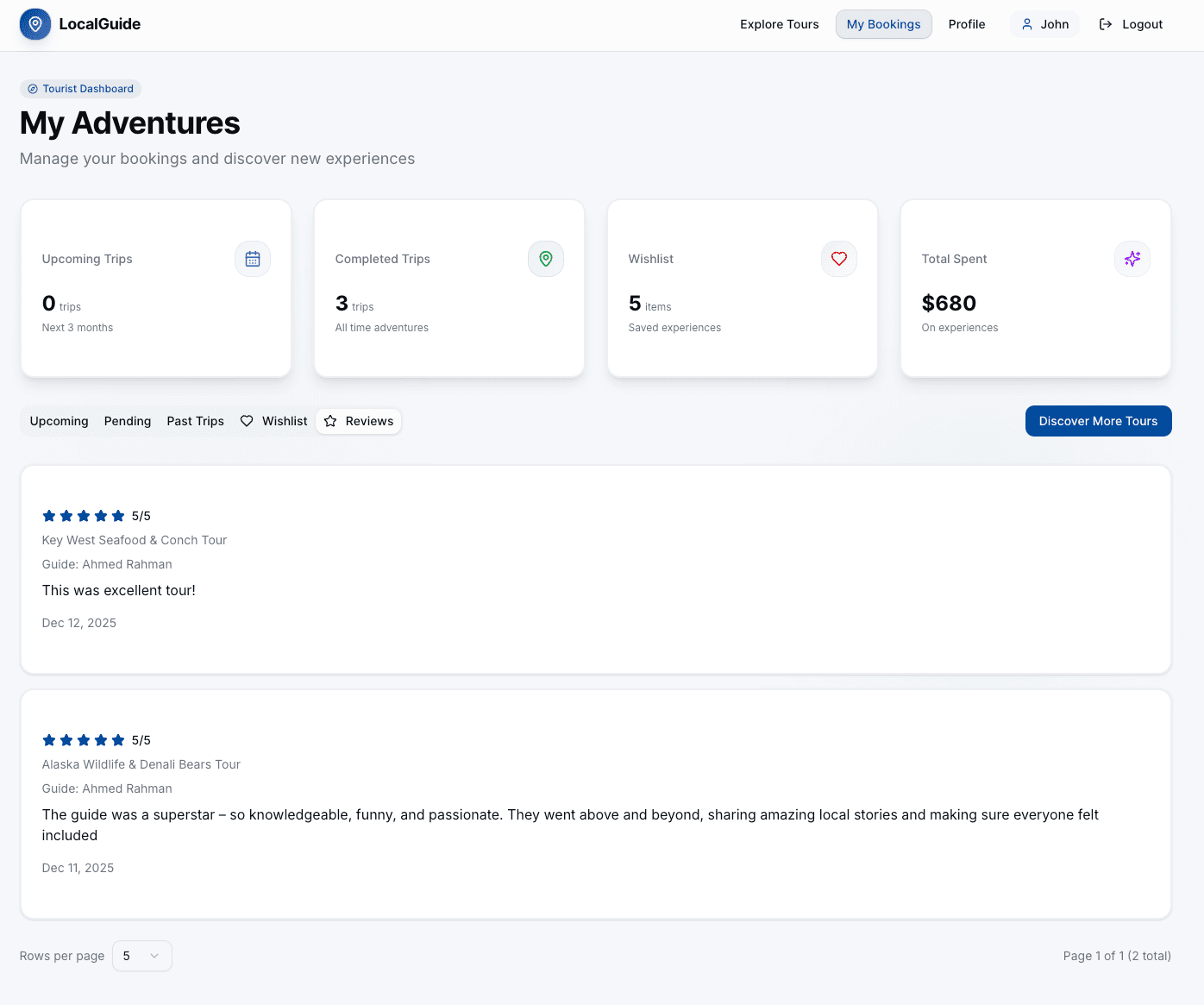
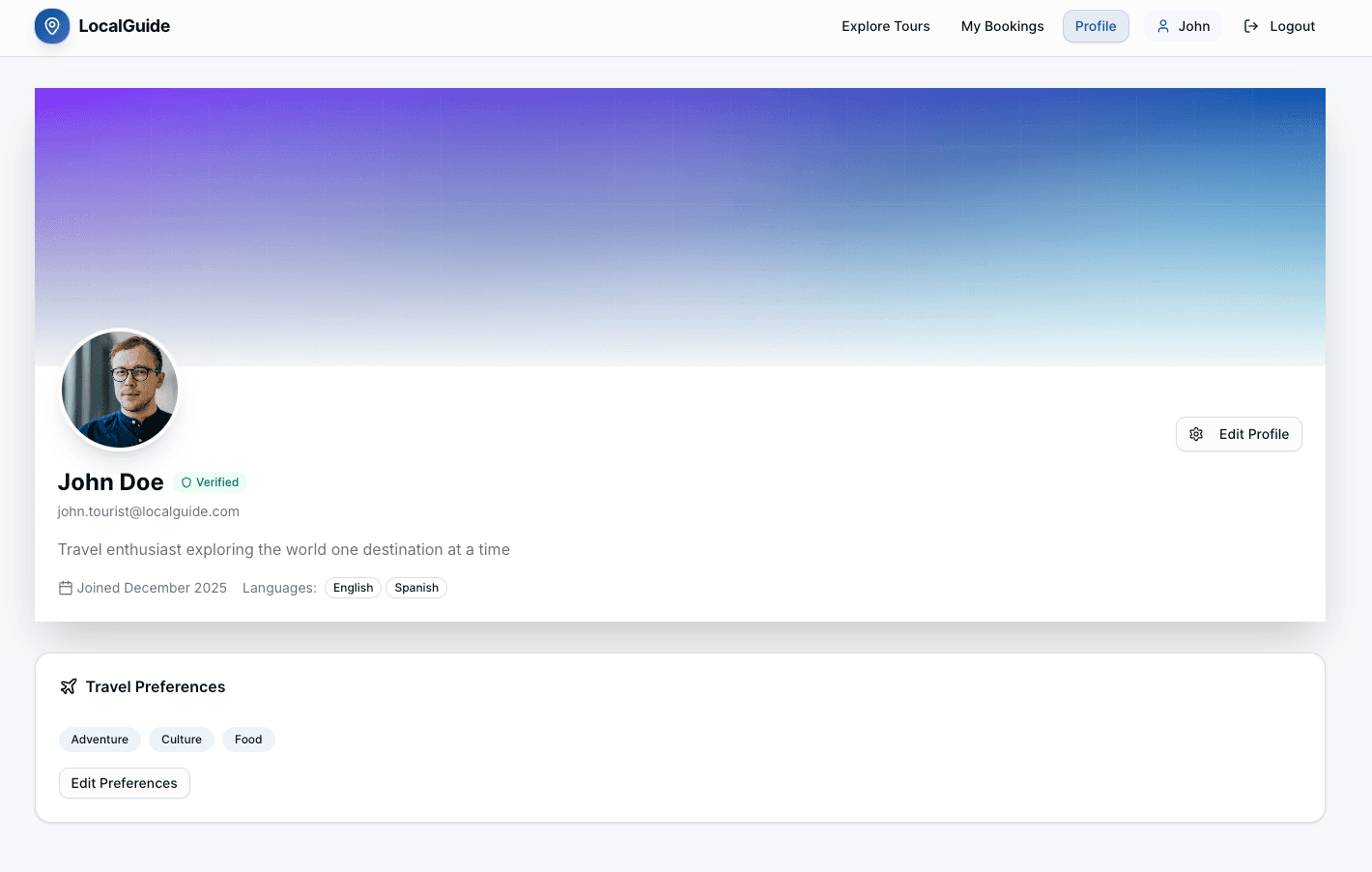
Dashboard Screenshots
Admin Dashboard
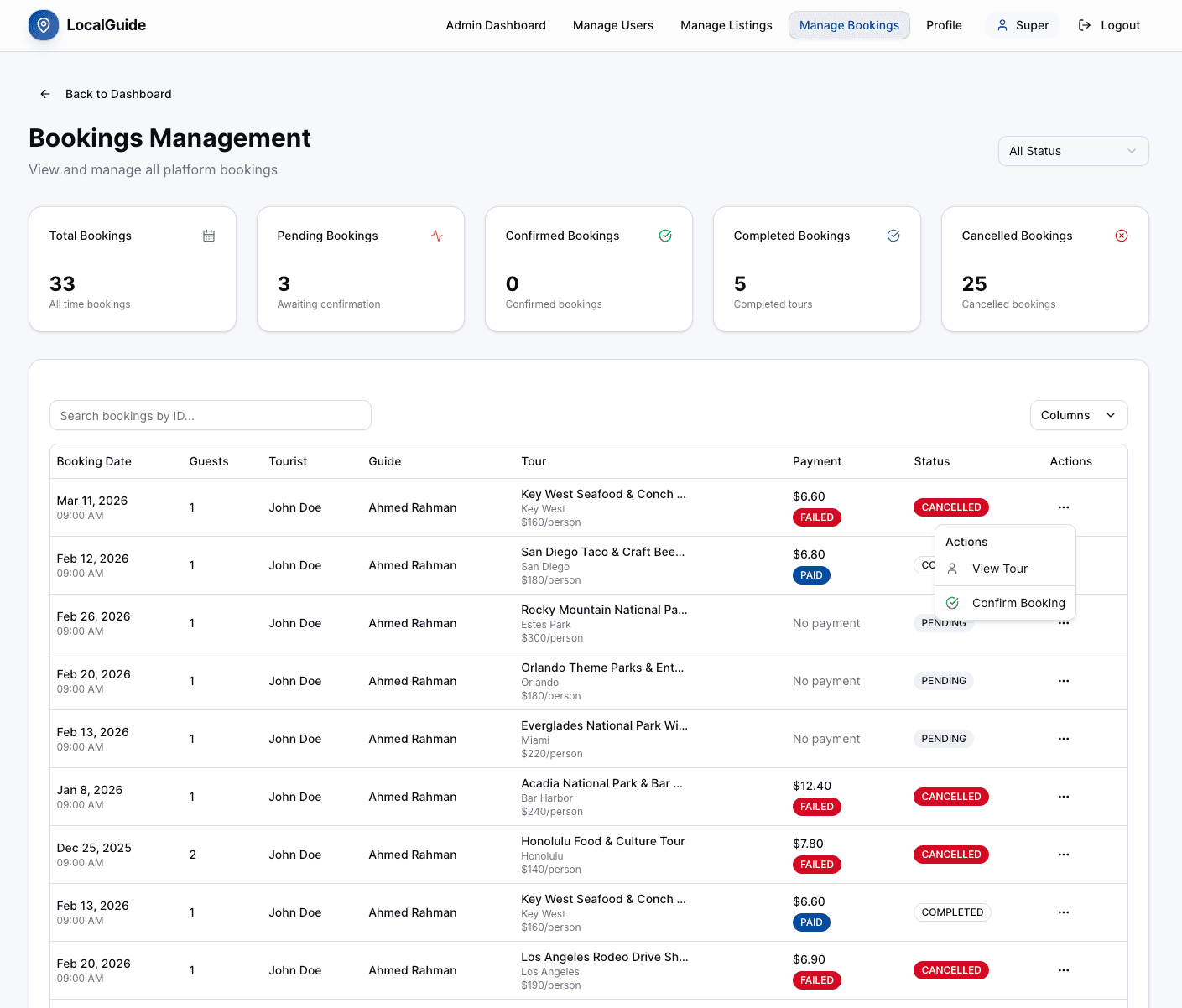
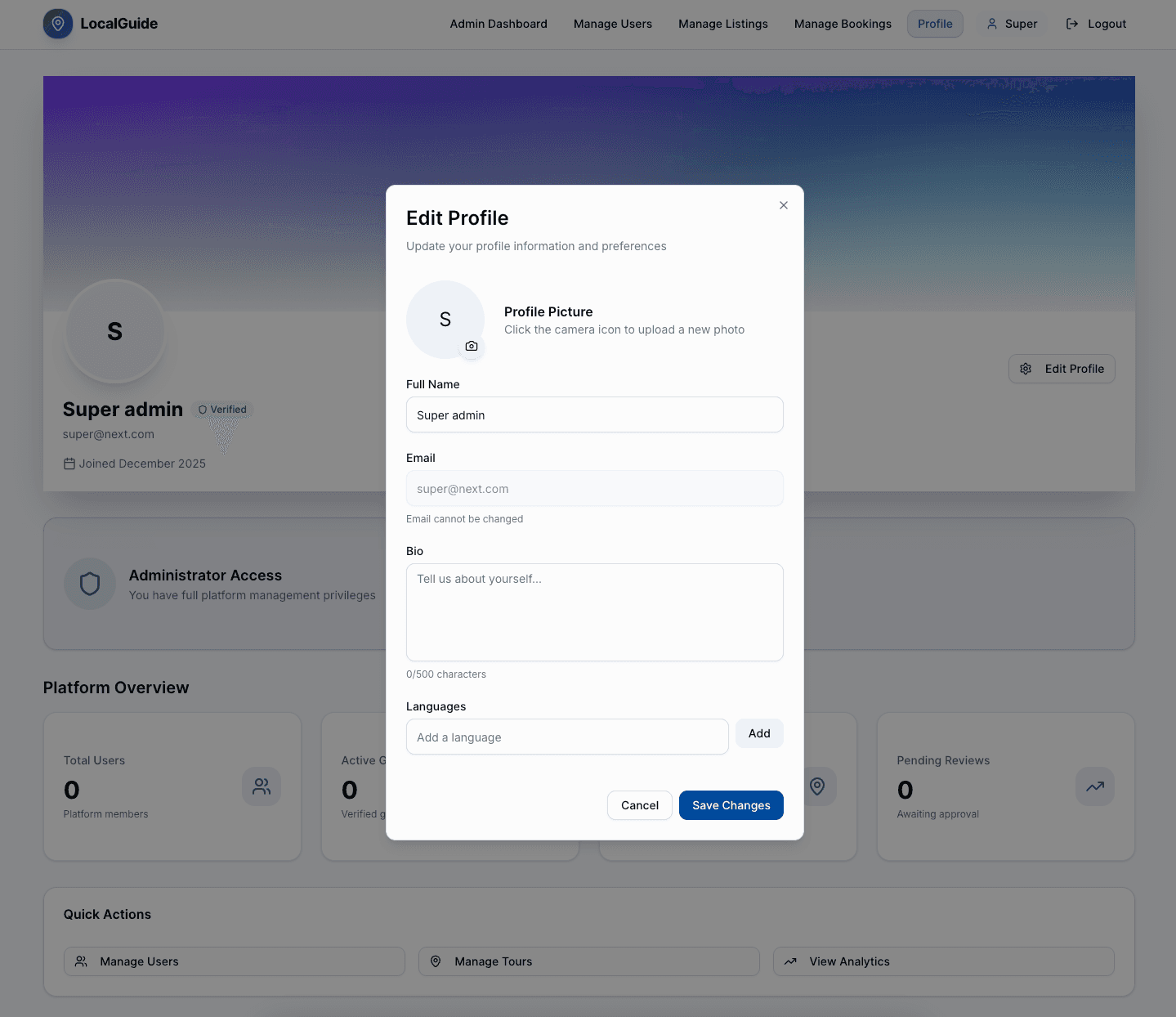
Guide Dashboard
Tourist Dashboard
🗺️ Local Guide Server
A comprehensive backend API for connecting travelers with passionate local experts who offer authentic, personalized experiences. This platform empowers individuals to share their city's hidden gems, culture, and stories, allowing travelers to explore destinations like a local.
Postman Collection: Local Guide API Collection
🧱 Features
- 🔐 Authentication: JWT-based authentication with refresh tokens, password reset, and OTP verification
- 👥 Role-based Access Control:
TOURIST,GUIDE, andADMINroles with appropriate permissions - 📝 User Management: Complete profile management with role-specific fields (expertise, daily rate for guides, travel preferences for tourists)
- 🎯 Tour Listings: Create, update, delete, and manage tour listings with images, pricing, and availability
- 📅 Availability Management: Guides can set available dates/times for their tours
- 📖 Booking System: Complete booking workflow with status management (Pending, Confirmed, Completed, Cancelled)
- 💳 Payment Integration: Stripe integration for secure payment processing
- ⭐ Review & Rating: Post-tour review and rating system for guides
- ❤️ Wishlist: Tourists can save favorite listings
- 🏅 Badge System: Automated badge assignment for guides (Super Guide, Newcomer, Foodie Expert, etc.)
- 📊 Analytics & Stats: Comprehensive statistics for admins and guides
- 📧 Email Notifications: OTP verification and password reset via email
- 📸 File Uploads: Cloudinary integration for image uploads
- 🔍 Advanced Search: Filter listings by city, category, price range, and more
- ⚠️ Global Error Handling: Comprehensive error management and validation
- 🧱 Modular Architecture: Scalable and maintainable codebase structure
- 🔒 Security: Input validation, authentication middleware, and secure file handling
🧩 Tech Stack
- Node.js + Express — Backend framework
- TypeScript — Type-safe development
- PostgreSQL + Prisma — Database with ORM
- Zod — Schema validation
- JWT — Authentication and authorization
- Stripe — Payment processing
- Cloudinary — Image storage and management
- Multer — File upload handling
- Node-cron — Scheduled tasks
- dotenv — Environment configuration
- ESLint — Code quality and linting
- Render — Deployment
🛠️ Getting Started
# 1. Clone the repository
git clone <repository-url>
cd local-guide-server

# 2. Install dependencies
npm install

# 3. Configure environment variables
cp .env.example .env

# 4. Update .env with your configuration
PORT=5000
DATABASE_URL="postgresql://username:password@localhost:5432/local_guide_db"
NODE_ENV=development

# JWT
JWT_ACCESS_SECRET=your_access_secret
JWT_ACCESS_EXPIRES=3d
JWT_REFRESH_SECRET=your_refresh_secret
JWT_REFRESH_EXPIRES=10d

# BCRYPT
BCRYPT_SALT_ROUND=10

# SUPER ADMIN
SUPER_ADMIN_EMAIL=super@localguide.com
SUPER_ADMIN_PASSWORD=your_super_admin_password

# Express Session
EXPRESS_SESSION_SECRET=your_session_secret

# Frontend URL
FRONTEND_URL=http://localhost:3000

# CLOUDINARY
CLOUDINARY_CLOUD_NAME=your_cloud_name
CLOUDINARY_API_KEY=your_api_key
CLOUDINARY_API_SECRET=your_api_secret

# STRIPE
STRIPE_SECRET_KEY=your_stripe_secret_key
STRIPE_WEBHOOK_SECRET=your_stripe_webhook_secret
STRIPE_APPLICATION_FEE_PERCENTAGE=10
STRIPE_CURRENCY=usd


# 5. Prisma migration
npx prisma migrate dev

# 6. Generate Prisma client
npx prisma generate

# 7. Seed database (optional)
npm run db:seed

# 8. Start development server
npm run dev
👤 Dummy Users for Testing
Email and password for some dummy users:
// ADMIN
email: super@next.com
password: ph@123456

// TOURIST
email: john.tourist@localguide.com
password: tourist123

// GUIDE
email: ahmed.guide@localguide.com
password: guide123
📁 Project Structure
b5a8-server/
├── src/
│   ├── app/
│   │   ├── config/
│   │   │   ├── cloudinary.config.ts
│   │   │   ├── db.ts
│   │   │   ├── env.ts
│   │   │   ├── multer.config.ts
│   │   │   ├── redis.config.ts
│   │   │   └── stripe.config.ts
│   │   ├── interfaces/
│   │   │   ├── error.ts
│   │   │   ├── error.types.ts
│   │   │   ├── index.d.ts
│   │   │   └── pagination.ts
│   │   ├── middlewares/
│   │   │   ├── checkAuth.ts
│   │   │   ├── dbConnection.ts
│   │   │   ├── globalErrorHandler.ts
│   │   │   ├── notFound.ts
│   │   │   └── validateRequest.ts
│   │   ├── modules/
│   │   │   ├── auth/
│   │   │   │   ├── auth.controller.ts
│   │   │   │   ├── auth.routes.ts
│   │   │   │   ├── auth.service.ts
│   │   │   │   └── auth.validation.ts
│   │   │   ├── user/
│   │   │   │   ├── user.constant.ts
│   │   │   │   ├── user.controller.ts
│   │   │   │   ├── user.routes.ts
│   │   │   │   ├── user.service.ts
│   │   │   │   └── user.validation.ts
│   │   │   ├── listing/
│   │   │   │   ├── listing.constant.ts
│   │   │   │   ├── listing.controller.ts
│   │   │   │   ├── listing.routes.ts
│   │   │   │   ├── listing.service.ts
│   │   │   │   └── listing.validation.ts
│   │   │   ├── availability/
│   │   │   │   ├── availability.constant.ts
│   │   │   │   ├── availability.controller.ts
│   │   │   │   ├── availability.routes.ts
│   │   │   │   ├── availability.service.ts
│   │   │   │   └── availability.validation.ts
│   │   │   ├── booking/
│   │   │   │   ├── booking.constant.ts
│   │   │   │   ├── booking.controller.ts
│   │   │   │   ├── booking.routes.ts
│   │   │   │   ├── booking.service.ts
│   │   │   │   └── booking.validation.ts
│   │   │   ├── payment/
│   │   │   │   ├── payment.constant.ts
│   │   │   │   ├── payment.controller.ts
│   │   │   │   ├── payment.cron.ts
│   │   │   │   ├── payment.routes.ts
│   │   │   │   ├── payment.service.ts
│   │   │   │   ├── payment.validation.ts
│   │   │   │   └── payment.webhook.ts
│   │   │   ├── review/
│   │   │   │   ├── review.constant.ts
│   │   │   │   ├── review.controller.ts
│   │   │   │   ├── review.routes.ts
│   │   │   │   ├── review.service.ts
│   │   │   │   └── review.validation.ts
│   │   │   ├── wishlist/
│   │   │   │   ├── wishlist.constant.ts
│   │   │   │   ├── wishlist.controller.ts
│   │   │   │   ├── wishlist.routes.ts
│   │   │   │   └── wishlist.service.ts
│   │   │   ├── badge/
│   │   │   │   ├── badge.constant.ts
│   │   │   │   ├── badge.controller.ts
│   │   │   │   ├── badge.routes.ts
│   │   │   │   └── badge.service.ts
│   │   │   ├── stats/
│   │   │   │   ├── stats.controller.ts
│   │   │   │   ├── stats.routes.ts
│   │   │   │   └── stats.service.ts
│   │   │   └── otp/
│   │   │       ├── otp.controller.ts
│   │   │       ├── otp.routes.ts
│   │   │       ├── otp.service.ts
│   │   │       └── otp.validation.ts
│   │   ├── routes/
│   │   │   └── index.ts
│   │   └── utils/
│   │       ├── catchAsync.ts
│   │       ├── errorHelpers/
│   │       │   ├── AppError.ts
│   │       │   ├── handleClientError.ts
│   │       │   ├── handleValidationError.ts
│   │       │   └── handleZodError.ts
│   │       ├── jwt/
│   │       │   ├── jwt.ts
│   │       │   ├── setCookie.ts
│   │       │   └── userTokens.ts
│   │       ├── paginationHelper.ts
│   │       ├── pick.ts
│   │       ├── seedDummyUsers.ts
│   │       ├── seedSuperAdmin.ts
│   │       ├── sendEmail.ts
│   │       └── sendResponse.ts
│   ├── app.ts
│   └── server.ts
├── prisma/
│   ├── migrations/
│   ├── schema.prisma
│   └── prisma.config.ts
├── sample-data/
│   ├── availabilities-bookings-payments-reviews.ts
│   ├── cleanAndSeed.ts
│   ├── listings.ts
│   ├── seedAll.ts
│   └── wishlists.ts
├── postman/
│   └── Local_Guide_API.postman_collection.json
├── docs/
│   ├── LocalGuide.md
│   ├── README.md
│   ├── STRIPE_ENV_SETUP.md
│   └── STRIPE_INTEGRATION.md
├── package.json
└── tsconfig.json
👤 User Roles
| Role | Responsibilities |
|---|---|
TOURIST | Search tours, book guides, write reviews, manage wishlist |
GUIDE | Create and manage tour listings, set availability, accept bookings |
ADMIN | Manage users, listings, bookings, view statistics, manage badges |
📡 API Endpoints
Base URL: /api/v1
🔐 Authentication
| Method | Endpoint | Description | Auth Required |
|---|---|---|---|
| POST | /auth/register | Register user (Tourist/Guide) | No |
| POST | /auth/login | Login user | No |
| POST | /auth/refresh-token | Refresh JWT token | No |
| POST | /auth/logout | Logout user | Yes |
| POST | /auth/forgot-password | Request password reset | No |
| POST | /auth/change-password | Change password | Yes |
| POST | /auth/reset-password | Reset password with token | Yes |
📧 OTP (Optional)
| Method | Endpoint | Description | Auth Required |
|---|---|---|---|
| POST | /otp/send | Send OTP to email | No |
| POST | /otp/verify | Verify OTP | No |
👤 Users
| Method | Endpoint | Description | Auth Required | Role |
|---|---|---|---|---|
| GET | /user/me | Get logged-in user profile | Yes | Any |
| GET | /user/:id | Get user by ID | No | - |
| GET | /user/top-rated-guides | Get top rated guides | No | - |
| GET | /user/all-users | Get all users (paginated) | Yes | ADMIN |
| PATCH | /user/:id | Update user profile | Yes | Owner/Any |
| PATCH | /user/:id/block-user | Block/unblock user | Yes | ADMIN |
| POST | /user/create-admin | Create new admin | Yes | ADMIN |
🎯 Listings
| Method | Endpoint | Description | Auth Required | Role |
|---|---|---|---|---|
| GET | /listings | Get all listings (with filters) | No | - |
| GET | /listings/:id | Get listing by ID | No | - |
| GET | /listings/featured-cities | Get featured cities | No | - |
| GET | /listings/categories/distinct | Get distinct categories with counts | No | - |
| GET | /listings/my/listings | Get my listings (paginated) | Yes | GUIDE |
| POST | /listings | Create new listing | Yes | GUIDE |
| PATCH | /listings/:id | Update listing | Yes | GUIDE |
| DELETE | /listings/:id | Delete listing | Yes | GUIDE |
Query Parameters for GET /listings:
page- Page number (default: 1)limit- Items per page (default: 10)city- Filter by citycategory- Filter by category (CULTURE, FOOD, ADVENTURE, etc.)minPrice- Minimum price filtermaxPrice- Maximum price filtersearch- Search in title/description
📅 Availabilities
| Method | Endpoint | Description | Auth Required | Role |
|---|---|---|---|---|
| GET | /availabilities | Get all availabilities | No | - |
| GET | /availabilities/:id | Get availability by ID | No | - |
| GET | /availabilities/my/availabilities | Get my availabilities | Yes | GUIDE |
| POST | /availabilities | Create availability | Yes | GUIDE |
| POST | /availabilities/bulk | Create bulk availabilities | Yes | GUIDE |
| PATCH | /availabilities/:id | Update availability | Yes | GUIDE |
| DELETE | /availabilities/:id | Delete availability | Yes | GUIDE |
Query Parameters for GET /availabilities:
listingId- Filter by listing IDpage- Page numberlimit- Items per page
📖 Bookings
| Method | Endpoint | Description | Auth Required | Role |
|---|---|---|---|---|
| POST | /bookings | Create booking request | Yes | TOURIST |
| GET | /bookings/my-bookings | Get my bookings | Yes | Any |
| GET | /bookings | Get all bookings (admin) | Yes | ADMIN |
| GET | /bookings/:id | Get booking by ID | Yes | Any |
| PATCH | /bookings/:id/status | Update booking status | Yes | GUIDE |
Query Parameters for GET /bookings/my-bookings:
page- Page numberlimit- Items per pagetype- Filter by type (upcoming, past)status- Filter by status (PENDING, CONFIRMED, COMPLETED, CANCELLED)
Booking Status Values:
PENDING- Awaiting guide confirmationCONFIRMED- Guide accepted the bookingCOMPLETED- Tour completedCANCELLED- Booking cancelled
💳 Payments
| Method | Endpoint | Description | Auth Required | Role |
|---|---|---|---|---|
| POST | /payments/confirm | Confirm payment with Stripe | Yes | TOURIST |
| GET | /payments | Get my payments | Yes | Any |
| GET | /payments/booking/:bookingId | Get payment by booking ID | Yes | Any |
| GET | /payments/:id | Get payment by ID | Yes | Any |
| POST | /payments/:id/release | Release payment to guide | Yes | GUIDE |
Query Parameters for GET /payments:
page- Page numberlimit- Items per page
Note: Payment processing is handled via Stripe. The webhook endpoint /webhook handles Stripe events.
⭐ Reviews
| Method | Endpoint | Description | Auth Required | Role |
|---|---|---|---|---|
| GET | /reviews | Get all reviews | No | - |
| GET | /reviews/:id | Get review by ID | No | - |
| GET | /reviews/my/reviews | Get my reviews (as guide) | Yes | GUIDE |
| GET | /reviews/reviewable-bookings | Get reviewable bookings | Yes | TOURIST |
| GET | /reviews/booking/:bookingId | Get review by booking ID | No | - |
| GET | /reviews/guide/:guideId | Get reviews by guide ID | No | - |
| POST | /reviews | Create review | Yes | TOURIST |
| PATCH | /reviews/:id | Update review | Yes | TOURIST |
| DELETE | /reviews/:id | Delete review | Yes | TOURIST |
Query Parameters for GET /reviews:
listingId- Filter by listing IDpage- Page numberlimit- Items per page
Query Parameters for GET /reviews/my/reviews:
page- Page numberlimit- Items per pagesortBy- Sort field (createdAt, rating)sortOrder- Sort order (asc, desc)
❤️ Wishlist
| Method | Endpoint | Description | Auth Required | Role |
|---|---|---|---|---|
| POST | /wishlist | Add listing to wishlist | Yes | TOURIST |
| GET | /wishlist | Get my wishlist | Yes | TOURIST |
| GET | /wishlist/check/:listingId | Check if listing in wishlist | Yes | TOURIST |
| DELETE | /wishlist/:listingId | Remove from wishlist | Yes | TOURIST |
Query Parameters for GET /wishlist:
page- Page numberlimit- Items per page
🏅 Badges
| Method | Endpoint | Description | Auth Required | Role |
|---|---|---|---|---|
| GET | /badges/guide/:guideId | Get guide badges | No | - |
| POST | /badges/guide/:guideId/recalculate | Recalculate guide badges | Yes | ADMIN |
| POST | /badges/recalculate-all | Recalculate all badges | Yes | ADMIN |
Badge Types:
SUPER_GUIDE- High ratings and many bookingsNEWCOMER- New guide on the platformFOODIE_EXPERT- Expertise in food toursCULTURE_MASTER- Expertise in cultural toursADVENTURE_SEEKER- Expertise in adventure tours
📊 Stats
| Method | Endpoint | Description | Auth Required | Role |
|---|---|---|---|---|
| GET | /stats/overview | Get overview statistics | Yes | ADMIN |
| GET | /stats/users | Get user statistics | Yes | ADMIN |
| GET | /stats/tourists | Get tourist statistics | Yes | ADMIN |
| GET | /stats/guides | Get guide statistics | Yes | ADMIN |
| GET | /stats/listings | Get listing statistics | Yes | ADMIN |
| GET | /stats/bookings | Get booking statistics | Yes | ADMIN |
| GET | /stats/revenue | Get revenue statistics | Yes | ADMIN |
| GET | /stats/profit | Get profit statistics | Yes | ADMIN |
| GET | /stats/guide-info | Get guide info and stats | Yes | GUIDE |
🗄️ Database Schema
User Model
- id: Primary key
- name: User's full name
- email: Unique email address
- password: Hashed password
- phone: Optional phone number
- picture: Profile picture URL
- bio: User biography
- languages: Array of languages spoken
- role: User role (TOURIST, GUIDE, ADMIN)
- isActive: Account status (ACTIVE, INACTIVE, BLOCKED)
- isVerified: Email verification status
- isDeleted: Soft delete flag
- expertise: Array of expertise areas (Guide only)
- dailyRate: Daily rate for guides
- travelPreferences: Array of travel preferences (Tourist only)
- stripeCustomerId: Stripe customer ID (Tourist only)
Listing Model
- id: Primary key
- title: Tour listing title
- description: Tour description
- itinerary: Detailed itinerary
- tourFee: Tour fee amount
- durationDays: Maximum duration in days
- meetingPoint: Meeting point location
- maxGroupSize: Maximum group size
- city: City where tour is located
- category: Tour category (CULTURE, FOOD, ADVENTURE, etc.)
- images: Array of image URLs
- isActive: Listing active status
- guideId: Reference to Guide User
Availability Model
- id: Primary key
- startDateTime: Start date and time
- endDateTime: End date and time
- isAvailable: Availability status
- listingId: Reference to Listing
Booking Model
- id: Primary key
- date: Booking date
- numberOfGuests: Number of guests
- status: Booking status (PENDING, CONFIRMED, COMPLETED, CANCELLED)
- touristId: Reference to Tourist User
- listingId: Reference to Listing
- availabilityId: Reference to Availability
Payment Model
- id: Primary key
- amount: Payment amount
- currency: Payment currency
- status: Payment status
- paymentIntentId: Stripe payment intent ID
- bookingId: Reference to Booking
- touristId: Reference to Tourist User
- guideId: Reference to Guide User
Review Model
- id: Primary key
- rating: Rating (1-5)
- comment: Review comment
- bookingId: Reference to Booking
- touristId: Reference to Tourist User
- guideId: Reference to Guide User
- listingId: Reference to Listing
Wishlist Model
- id: Primary key
- touristId: Reference to Tourist User
- listingId: Reference to Listing
Badge Model
- id: Primary key
- type: Badge type
- guideId: Reference to Guide User
🔒 Authentication
All protected endpoints require tokens in the cookies:
cookie: accessToken=<access_token>
cookie: refreshToken=<refresh_token>
Access tokens expire after the configured time (default: 3 days). Use the refresh token endpoint to obtain a new access token.
📝 Request/Response Format
Success Response
{
  "success": true,
  "statusCode": 200,
  "message": "Operation successful",
  "data": {
    // Response data
  },
  "meta": {
    // Pagination metadata (if applicable)
    "page": 1,
    "limit": 10,
    "total": 100,
    "totalPages": 10
  }
}
Error Response
{
  "success": false,
  "statusCode": 400,
  "message": "Error message",
  "errorDetails": {
    // Detailed error information
  },
  "stack": "Error stack (development only)"
}
🧪 Testing
Use the provided Postman collection to test all endpoints:
- Import
postman/Local_Guide_API.postman_collection.jsoninto Postman - Set the
base_urlvariable to your API URL (default:http://localhost:5000/api/v1) - Start with authentication endpoints to get access tokens
- Tokens are automatically saved to collection variables for subsequent requests
📚 Additional Documentation
🚀 Deployment
The application can be deployed to various platforms. Ensure all environment variables are properly configured in your deployment environment.
Build for Production
npm run buildStart Production Server
npm start